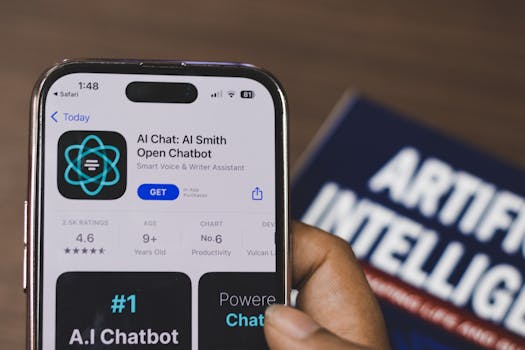
Best AI Apps for iPhone That Actually Save Time
In today’s fast-paced world, the integration of artificial intelligence into our daily routines has never been more beneficial. The iPhone, equipped with powerful processing capabilities and an extensive app ecosystem, is a perfect platform for AI applications that can enhance productivity and save time. In this article, we explore the best AI apps for iPhone that genuinely streamline tasks and improve efficiency.
1. Siri Shortcuts
Apple’s built-in voice assistant, Siri, is a cornerstone of the iOS experience. With the Siri Shortcuts app, users can create custom voice commands that automate various tasks. This feature allows you to combine multiple steps into a single command, making it easier to manage daily activities.
- Set Reminders: Create shortcuts for routine reminders, like taking medication or scheduling meetings.
- Control Smart Home Devices: Use Siri to manage your smart home setup with just a voice command.
- Integrate with Third-Party Apps: Many popular apps support shortcuts, allowing you to streamline actions across different platforms.
For more information about Siri Shortcuts, visit the official Apple support page.
2. Notion
Notion is a versatile productivity tool that combines note-taking, task management, and collaboration features, all enhanced by AI. The app uses machine learning to help you organize your workflow efficiently.
- Smart Search: The AI-driven search functionality allows you to find notes and tasks quickly, saving time on manual searches.
- Templates and Databases: Notion offers pre-made templates and customizable databases that adapt to your needs, making project management seamless.
- Collaboration Tools: Work with team members in real-time, ensuring that everyone stays on the same page.
For more insights, check out the Notion website.
3. Grammarly
Writing efficiently is crucial in both personal and professional contexts. Grammarly is an AI-powered writing assistant that helps improve grammar, punctuation, and style. Its iPhone app integrates seamlessly with various text fields, ensuring you communicate effectively without the hassle of proofreading.
- Real-Time Writing Suggestions: Grammarly provides instant feedback as you write, allowing you to make corrections on the go.
- Tone Detection: The app analyzes your writing tone, helping you adjust your message based on your audience.
- Integration: Use Grammarly with emails, social media, and messaging apps to ensure all your written communication is polished.
Learn more about Grammarly on their official site.
4. Otter.ai
For professionals who attend meetings regularly, Otter.ai is a game-changer. This AI-driven transcription app captures conversations and generates accurate transcripts, allowing you to focus on discussions rather than taking notes.
- Real-Time Transcription: Otter.ai transcribes spoken words into text in real-time, ensuring you don’t miss important details.
- Collaboration Features: Share transcripts with colleagues and add comments for collaborative editing.
- Searchable Transcripts: Easily search through your transcripts to find specific information quickly.
Discover more about Otter.ai by visiting their official website.
5. Todoist
Todoist is a robust task management app that leverages AI to help you prioritize and organize your tasks efficiently. With its intuitive interface and smart features, Todoist helps you maintain focus and productivity.
- Smart Scheduling: The app suggests optimal dates and times for tasks based on your workload.
- Project Templates: Use AI-generated templates to kickstart new projects quickly.
- Collaboration Tools: Share tasks and projects with team members and track progress together.
To learn more, visit the Todoist website.
6. Replika
Replika is an AI companion app designed to provide conversation and emotional support. While it primarily serves as a chatbot, it can also help you save time by assisting with stress relief and mental health management.
- Personalized Conversations: Replika learns from your interactions, tailoring responses that resonate with your mood and preferences.
- Journaling Features: Use the app to track your thoughts and emotions, promoting self-reflection without taking up too much time.
- Goal Setting: The app encourages you to set personal goals and offers reminders to keep you on track.
For more details, visit the Replika website.
7. Calm
Time management isn’t just about productivity; it’s also about mental well-being. Calm is an app that uses AI to provide personalized meditation and relaxation exercises that fit into your schedule.
- Personalized Sessions: The app recommends meditation sessions based on your preferences and needs.
- Sleep Stories: Enjoy narrated stories designed to help you fall asleep faster, improving your overall productivity.
- Progress Tracking: Monitor your mindfulness journey and celebrate milestones, encouraging you to make time for self-care.
Explore more about Calm on their official site.
8. Google Maps
While primarily known as a navigation app, Google Maps uses AI to improve travel efficiency. Its ability to analyze traffic patterns and suggest the fastest routes can save you significant time.
- Real-Time Traffic Updates: Get alerts about traffic jams and accidents, allowing you to adjust your route accordingly.
- Local Business Recommendations: Discover nearby restaurants, shops, and services based on your preferences.
- Offline Maps: Download maps for offline use, ensuring you can navigate even without an internet connection.
For more information, visit the Google Maps website.
9. Scanbot
Scanning documents on the go has never been easier with Scanbot. This app utilizes AI to enhance the scanning process, making it quick and efficient.
- Smart Document Detection: The app automatically detects edges and optimizes scans for clarity and readability.
- Document Organization: Save and categorize documents in the cloud, making them easily accessible.
- Integration: Share scanned documents directly via email or other applications, saving time on file management.
Check out the Scanbot website for more details.
10. TripIt
Travel planning can be a hassle, but TripIt simplifies the process with AI-driven itinerary management. By automatically organizing travel details, the app saves you valuable time.
- Automatic Itinerary Creation: Forward confirmation emails, and TripIt will create a comprehensive itinerary for you.
- Real-Time Flight Alerts: Stay updated with flight status notifications and gate changes.
- Sharing Options: Easily share your itinerary with friends and family, keeping everyone in the loop.
Learn more about TripIt by visiting their official website.
FAQ
What are AI apps?
AI apps use artificial intelligence to perform tasks that typically require human intelligence. They can automate processes, enhance productivity, and provide personalized experiences.
How can AI apps save time on iPhone?
AI apps streamline workflows by automating repetitive tasks, providing smart suggestions, and enhancing communication, allowing users to focus on more critical activities.
Are AI apps secure to use on iPhone?
Most reputable AI apps prioritize user privacy and data security. Always check the app’s privacy policy and settings to ensure your information is protected.
Can I use these AI apps for free?
Many AI apps offer free versions with essential features, while premium features may require a subscription or one-time payment.
Incorporating these best AI apps for iPhone into your daily routine can significantly enhance your productivity and efficiency, allowing you to save time and focus on what matters most. With their innovative features and smart capabilities, these applications are designed to make your life easier, whether at work or in your personal endeavors.