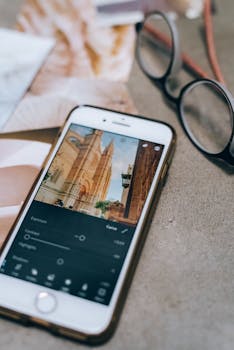
Best AI Photo Editing Apps for iPhone Compared
In the realm of mobile photography, iPhone users are always on the lookout for tools that can enhance their photos effortlessly. With the rise of artificial intelligence, photo editing apps have become more powerful and user-friendly, allowing even novices to create stunning images with minimal effort. This article explores the best AI photo editing apps for iPhone, comparing their features, ease of use, and overall effectiveness.
Why Choose AI Photo Editing Apps?
AI photo editing apps leverage machine learning algorithms to analyze and enhance images automatically. Here are a few reasons why you might consider using these apps:
- Time-Saving: AI tools can automate tedious tasks, allowing users to achieve professional results in seconds.
- Accessibility: No need for extensive photo editing knowledge; AI apps simplify the process.
- Customization: Many AI apps allow users to fine-tune edits, providing both automatic enhancements and manual controls.
Top AI Photo Editing Apps for iPhone
1. Adobe Photoshop Express
Adobe Photoshop Express is a powerful editing tool that brings the renowned Photoshop capabilities to your iPhone. The app utilizes AI technology to offer features like automatic adjustments for brightness, contrast, and color balance.
- Features: One-touch filters, blemish removal, noise reduction, and collage creation.
- Best For: Users looking for a comprehensive editing experience with professional-grade tools.
- Pricing: Free with in-app purchases for advanced features.
2. Snapseed
Developed by Google, Snapseed is a free photo editor that offers a wide range of tools, including some powered by AI. Its intuitive interface and smart editing features make it a favorite among casual and professional photographers alike.
- Features: Selective adjustments, healing tool, perspective correction, and a variety of filters.
- Best For: Users who want a free, versatile app with advanced editing capabilities.
- Pricing: Completely free.
3. Prisma Photo Editor
If you’re looking to transform your photos into works of art, Prisma is the app for you. Utilizing AI, Prisma applies artistic filters inspired by famous artists, creating unique looks for your images.
- Features: Over 300 art styles, custom filters, and the ability to adjust intensity.
- Best For: Users wanting to create artistic renditions of their photos.
- Pricing: Free with optional premium subscription for additional features.
4. PicsArt Photo & Video Editor
PicsArt combines photo editing and graphic design in one app. It incorporates AI to enhance images and offers a range of creative tools for users to explore.
- Features: AI-driven effects, background removal, collage maker, and video editing tools.
- Best For: Users who want to create and edit both photos and videos with a single app.
- Pricing: Free with in-app purchases for premium features.
5. Luminar AI
Luminar AI is a powerful photo editing app that focuses heavily on using AI to simplify advanced editing tasks. It’s ideal for those who want to achieve high-quality results without a steep learning curve.
- Features: AI Sky Replacement, AI Skin Enhancer, and various portrait retouching tools.
- Best For: Photographers looking for advanced editing capabilities in a user-friendly format.
- Pricing: One-time purchase with no subscription required.
Comparative Analysis of AI Photo Editing Apps
User Interface and Experience
When choosing an app, the user interface plays a crucial role. For instance, Adobe Photoshop Express offers a familiar layout for those accustomed to Adobe products, while Snapseed provides a more streamlined experience, focusing on essential editing tools without overwhelming users. On the other hand, Prisma‘s artistic filters can be easily navigated, making it a joy for creative enthusiasts.
Features and Functionalities
While all these apps utilize AI technology, their features vary significantly:
- Adobe Photoshop Express excels in comprehensive editing tools.
- Snapseed stands out with its selective adjustments and versatility.
- Prisma is unique in its artistic style filters.
- PicsArt offers a diverse range of creative tools beyond just photo editing.
- Luminar AI focuses on advanced features for serious photographers.
Pricing Models
Pricing can be a deciding factor. Most apps, like Snapseed and Adobe Photoshop Express, provide free versions with optional in-app purchases, making them accessible to a wide audience. In contrast, Luminar AI requires a one-time purchase, which might appeal to those who prefer not to deal with subscriptions.
Integrating AI Photo Editing Apps into Your Workflow
To maximize the benefits of these AI photo editing apps, consider the following tips:
- Experiment with Different Apps: Each app has its unique strengths. Don’t hesitate to try multiple applications to find which one suits your style best.
- Use Built-In Tutorials: Many of these apps provide tutorials or guides. Take advantage of these resources to learn how to use advanced features effectively.
- Stay Updated: Keep your apps updated to access the latest features and improvements, as AI technology is constantly evolving.
FAQ Section
What is the best AI photo editing app for beginners?
Snapseed is often recommended for beginners due to its intuitive interface and comprehensive set of features.
Are AI photo editing apps free to use?
Many AI photo editing apps, including PicsArt and Snapseed, are free with optional premium features available for purchase.
Can I use these apps for professional photography?
Absolutely! Apps like Adobe Photoshop Express and Luminar AI offer professional-grade editing tools that can elevate your photography.
Do I need an internet connection to use these apps?
While some features may require an internet connection, most basic functionalities can be used offline.
Are there any subscription models for these apps?
Some apps like PicsArt and Prisma offer subscription models for enhanced features, but many also provide free versions.
In conclusion, the landscape of photo editing on the iPhone has been revolutionized by AI technology. Choosing the right app can significantly enhance your editing experience, making it easier to create stunning images with just a few taps. Whether you’re a casual user or a professional photographer, there’s an AI photo editing app out there that fits your needs perfectly.