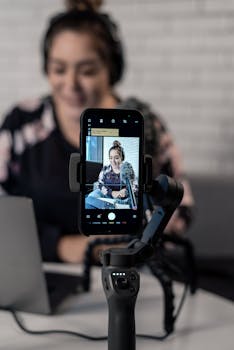
Best AI Video Editing Apps for iPhone Creators
In today’s digital era, video content has become crucial for creators, marketers, and influencers alike. With the rise of social media platforms like Instagram, TikTok, and YouTube, having the right tools is essential for producing high-quality videos efficiently. One such tool that has revolutionized video production is artificial intelligence (AI). This blog post will explore the best AI video editing apps for iPhone creators, providing insights into their features, usability, and how they can enhance your video editing experience.
Why Use AI in Video Editing?
AI technology in video editing simplifies complex processes, allowing creators to focus on their artistic vision rather than getting bogged down by technical details. Here are some reasons why AI video editing apps are becoming increasingly popular among iPhone users:
- Time Efficiency: AI tools can automate mundane tasks like cutting, trimming, and organizing clips, significantly reducing the time spent on editing.
- Enhanced Creativity: With features like auto-suggestions and smart filters, creators can explore new editing styles they might not have considered.
- Improved Quality: AI can analyze footage and suggest improvements, ensuring that videos meet professional standards.
- User-Friendly: Many AI video editing apps come with intuitive interfaces, making them accessible even for beginners.
Top AI Video Editing Apps for iPhone
1. iMovie
iMovie is Apple’s native video editing app, and it incorporates AI features that make it easy for iPhone users to create stunning videos. With its user-friendly interface, iMovie allows you to:
- Automatically enhance video quality with a single tap.
- Use smart audio filters to adjust sound levels and reduce background noise.
- Access various themes, transitions, and effects to personalize your videos.
iMovie is free and is compatible with iPhones running iOS 14 or later. For more information, visit the official Apple page.
2. Magisto
Magisto is an AI-powered video editing app that helps creators turn photos and video clips into polished movies. Its standout features include:
- Automated editing styles based on the content you upload.
- Smart video stabilization and color correction to enhance visual appeal.
- A vast library of licensed music, ensuring your videos have the perfect soundtrack.
Magisto is subscription-based, but it offers a free trial for new users. It’s a fantastic option for those looking to produce marketing videos or social media clips quickly.
3. InShot
InShot is another popular video editing app that leverages AI to streamline the editing process. It’s known for its versatility and ease of use. Key features include:
- Intelligent cropping and resizing tools that adjust your video for different social media platforms.
- A wide selection of filters, effects, and stickers powered by machine learning.
- Simple audio editing capabilities, including voiceovers and background music integration.
InShot is free to download, with in-app purchases available for additional features.
4. Adobe Premiere Rush
Adobe Premiere Rush is a simplified version of Adobe’s powerful Premiere Pro, designed for mobile users. Utilizing AI elements, it offers:
- A smart auto-ducking feature that adjusts background music levels during speech.
- One-click video optimization to enhance color and sound quality.
- Built-in templates and graphics to help you create professional-looking videos in minutes.
While Adobe Premiere Rush requires a subscription, it offers a free starter plan that allows users to test its capabilities. For more details, check out the Adobe official page.
5. Lumen5
Lumen5 is an AI-driven platform primarily aimed at businesses looking to create promotional videos. Its notable features include:
- AI-powered text-to-video conversion that turns blog posts and articles into engaging videos.
- A rich library of stock photos and videos that can be seamlessly integrated into your projects.
- Customizable branding options to maintain consistency across your video content.
Lumen5 offers various pricing tiers, including a free version, making it accessible for all creators.
6. Kinemaster
Kinemaster is a full-featured video editing app that includes AI capabilities. It stands out with its professional-grade tools and features like:
- Multi-layer video editing for more complex projects.
- AI-assisted color correction and enhancement tools.
- An extensive library of transitions, effects, and music tracks.
While Kinemaster is free, it includes a watermark on exported videos unless you upgrade to a subscription.
Features to Look for in AI Video Editing Apps
When choosing the best AI video editing apps for iPhone creators, consider the following features:
- Ease of Use: Look for apps with intuitive interfaces that minimize the learning curve.
- AI Capabilities: Ensure the app offers useful features like auto-editing and smart enhancements.
- Export Options: Check the quality and format of video exports to ensure compatibility with your intended platforms.
- Support and Resources: A good app should provide tutorials, customer support, and a community for users.
Tips for Using AI Video Editing Apps
To maximize your experience with AI video editing apps, consider the following tips:
- Experiment: Don’t hesitate to explore different features and styles to discover what works best for your content.
- Stay Updated: Keep your apps updated to access the latest features and improvements.
- Backup Your Projects: Regularly save and backup your work to avoid losing any progress.
Frequently Asked Questions (FAQ)
What is the best AI video editing app for beginners?
iMovie is often recommended for beginners due to its intuitive interface and essential features that are easy to learn.
Can I use AI video editing apps for free?
Many AI video editing apps, such as InShot and Lumen5, offer free versions with limited features. However, more advanced functionalities usually require a subscription.
Are AI video editing apps suitable for professional use?
Yes, apps like Adobe Premiere Rush and Kinemaster provide professional-grade features that are suitable for content creators and marketers.
Do I need to be a tech expert to use AI video editing apps?
No, most AI video editing apps are designed to be user-friendly, making them accessible even for those without a technical background.
In conclusion, the rise of AI technology has significantly impacted video editing, making it faster and more accessible for creators. Whether you’re a beginner or a seasoned professional, there’s an AI video editing app that can help you produce high-quality content on your iPhone. Explore these options, and elevate your video editing game today!