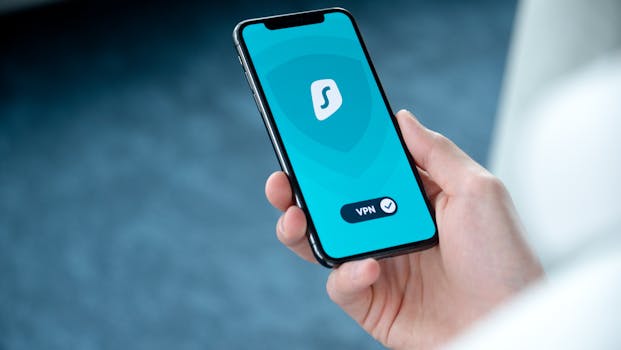
Best Cybersecurity Apps for iPhone Users
In today’s digital age, ensuring the security of your personal information is more crucial than ever. With the rise of cyber threats, iPhone users must be proactive in protecting their devices and data. Fortunately, there are numerous cybersecurity apps designed specifically for iOS that can help safeguard against potential risks. In this article, we’ll explore the best cybersecurity apps for iPhone users that provide robust protection against various online threats.
Why Cybersecurity is Essential for iPhone Users
iPhones are known for their security features, but they are not immune to cyber threats. With phishing attacks, malware, and data breaches on the rise, it’s essential for users to take additional measures to protect their sensitive information. Cybersecurity apps can enhance your iPhone’s built-in security by providing features like:
- Real-time threat detection
- Secure browsing
- VPN services
- Password management
Top Cybersecurity Apps for iPhone
1. Norton Mobile Security
Norton Mobile Security offers a comprehensive suite of features designed to protect your iPhone from various cyber threats. With real-time malware protection, web protection against phishing websites, and Wi-Fi security alerts, Norton ensures that your device remains secure.
One of the standout features of Norton is its ability to scan apps for privacy risks and security vulnerabilities. With an intuitive user interface, it is easy to navigate and customize settings according to your security needs.
2. McAfee Mobile Security
McAfee is another excellent choice for iPhone users looking to enhance their cybersecurity. This app provides essential features such as antivirus protection, anti-theft tools, and secure browsing capabilities. It also includes a VPN for encrypted internet access, which is vital when using public Wi-Fi networks.
One unique feature of McAfee is its ability to back up your contacts and photos, ensuring that your important data is safe even in the event of a device loss or theft.
3. Avast Security & Privacy
Avast Security & Privacy is a popular app that offers a range of features tailored for iPhone users. This app provides malware protection, a Wi-Fi network scanner, and a VPN for secure browsing. Additionally, Avast includes a photo vault that allows you to store sensitive images securely.
The app’s user-friendly interface makes it easy to monitor your device’s security status and manage your settings effectively.
4. Bitdefender Mobile Security
Bitdefender is renowned for its advanced threat protection capabilities. The Bitdefender Mobile Security app includes features like account privacy monitoring, adware protection, and secure browsing. Its autopilot mode automatically adjusts settings based on your usage habits, providing a seamless user experience.
Moreover, Bitdefender’s VPN service ensures that your internet connection remains encrypted, especially when connected to unsecured networks.
5. Kaspersky Security Cloud
Kaspersky Security Cloud offers a wide array of features aimed at protecting your iPhone from cyber threats. With real-time protection against malware, phishing attacks, and spam, Kaspersky ensures that your device remains secure at all times.
One of its standout features is the “My Kaspersky” portal, which allows users to manage their security settings remotely and access additional resources for online safety.
6. LastPass Password Manager
While not a traditional cybersecurity app, LastPass is essential for maintaining strong password hygiene. This password manager stores and encrypts your login credentials, helping you avoid the pitfalls of weak or reused passwords.
With LastPass, iPhone users can generate strong passwords, fill in forms automatically, and even share passwords securely with trusted contacts, ensuring that your accounts are well protected.
7. ExpressVPN
Using a Virtual Private Network (VPN) is critical for protecting your online privacy. ExpressVPN is one of the most trusted VPN services, providing fast and secure connections to servers worldwide. It encrypts your internet traffic, making it difficult for hackers to intercept your data.
ExpressVPN is user-friendly and compatible with multiple devices, making it an excellent choice for iPhone users who prioritize online security and anonymity.
8. Lookout Mobile Security
Lookout Mobile Security is designed specifically for mobile devices, offering features such as anti-theft protection, security alerts, and backup options for your important data. It provides a unique feature that scans your apps for vulnerabilities, helping you stay ahead of potential threats.
With its intuitive interface, Lookout makes it easy for iPhone users to monitor their device’s security status and take necessary actions quickly.
How to Choose the Right Cybersecurity App
With so many options available, selecting the right cybersecurity app for your iPhone can be overwhelming. Here are some factors to consider when making your choice:
- Features: Look for apps that offer the features most relevant to you, such as antivirus protection, VPN services, or password management.
- User Reviews: Research user reviews and ratings to gauge the effectiveness and reliability of the app.
- Compatibility: Ensure that the app is fully compatible with the latest iOS version and your iPhone model.
- Price: Consider your budget and whether the app offers a free trial or a money-back guarantee.
Staying Safe Online: Additional Tips
In addition to using cybersecurity apps, here are some tips to enhance your iPhone’s security:
- Keep iOS Updated: Regular software updates from Apple include vital security patches that protect against new threats. Always update your iPhone to the latest iOS version.
- Enable Two-Factor Authentication: This adds an extra layer of security to your accounts, requiring a second verification step when logging in.
- Be Cautious with Public Wi-Fi: Avoid accessing sensitive information over public networks. Use a VPN when necessary.
- Regularly Review App Permissions: Check the permissions granted to apps and revoke any that seem excessive or unnecessary.
Conclusion
As cyber threats continue to evolve, iPhone users must stay vigilant and invest in robust cybersecurity solutions. The apps listed above are among the best cybersecurity apps for iPhone users, offering essential features to protect your device and data. By combining these apps with good security practices, you can significantly enhance your online safety.
FAQ
1. Are free cybersecurity apps effective?
While some free cybersecurity apps offer basic protection, they may lack advanced features found in premium versions. It’s often worth investing in a paid app for comprehensive security.
2. Do I need a VPN on my iPhone?
A VPN is essential for protecting your online privacy, especially when using public Wi-Fi networks. It encrypts your internet connection and keeps your data secure.
3. Can I use multiple cybersecurity apps on my iPhone?
Using multiple apps can lead to conflicts and performance issues. It’s best to choose one comprehensive security app that meets your needs.
4. How often should I update my cybersecurity apps?
Regularly check for updates to your cybersecurity apps and install them promptly to ensure optimal protection.
By leveraging the right tools and maintaining good habits, you can enjoy a safer online experience on your iPhone.