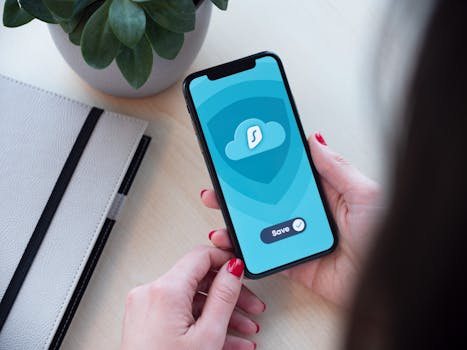
Best iPhone Apps for Encrypted Cloud Sync
In today’s digital age, securing your data is paramount. With the rising concerns about privacy and data breaches, many users are on the lookout for the best iPhone apps for encrypted cloud sync. These applications not only help you store your files securely but also ensure that your sensitive data remains private. This blog will explore some of the top choices available on iOS that prioritize encryption and user security.
Why Use Encrypted Cloud Sync?
Encrypted cloud sync services provide a way to back up your files while ensuring they are protected from unauthorized access. Here are some key benefits:
- Enhanced Security: Encryption protects your data from cybercriminals.
- Accessibility: Access your files from any device, anytime, ensuring you are always connected.
- Automatic Backups: Regularly sync your data without manual intervention.
- Data Privacy: Only you hold the keys to decrypt your information.
Top iPhone Apps for Encrypted Cloud Sync
With so many options available, choosing the right app can be overwhelming. Below are some of the best iPhone apps for encrypted cloud sync, each with unique features that cater to different user needs.
1. Tresorit
Tresorit is often hailed as one of the most secure cloud storage solutions available. This app offers end-to-end encryption, ensuring that only you and those you authorize have access to your files. Its user-friendly interface makes it easy to organize and share your documents securely.
- Key Features:
- End-to-end encryption for maximum security.
- File versioning to keep track of changes.
- Collaboration features for team sharing.
For more information, visit the official Tresorit website.
2. Sync.com
Sync.com is another excellent choice for iPhone users looking for encrypted cloud sync. It provides zero-knowledge encryption, meaning that even Sync.com cannot access your files. This feature gives users peace of mind regarding their data privacy.
- Key Features:
- Automatic file sync across devices.
- Granular sharing options for better control.
- Integration with various apps for enhanced productivity.
To learn more, check out the Sync.com homepage.
3. pCloud
pCloud is known for its robust features and is an excellent option for users seeking encrypted cloud sync. The app allows you to choose between client-side encryption or standard encryption, depending on your needs.
- Key Features:
- pCloud Crypto for client-side encryption.
- Lifetime plans available for long-term storage.
- Easy file sharing with links and passwords.
Visit the official pCloud website for more details.
4. Google Drive with Boxcryptor
While Google Drive is not inherently encrypted, integrating it with Boxcryptor can provide the necessary security. Boxcryptor encrypts your files before they reach the Google Drive servers, ensuring your data remains private and secure.
- Key Features:
- Support for multiple cloud services.
- File-specific encryption settings.
- Easy user interface for managing files.
Discover more about Boxcryptor through their official site.
5. Cryptomator
Cryptomator is an open-source solution that allows users to encrypt their files before uploading them to cloud services. It’s especially useful for those who want to maintain control over their encryption keys.
- Key Features:
- Open-source and free to use.
- Compatible with various cloud services.
- User-friendly interface suitable for all skill levels.
For more information, visit the Cryptomator website.
Comparing Features and Pricing
When choosing the best app for encrypted cloud sync, it’s essential to consider various features and pricing options. Here’s a quick comparison:
| App | End-to-End Encryption | Free Plan | Paid Plans Start At |
|---|---|---|---|
| Tresorit | Yes | No | $12.50/month |
| Sync.com | Yes | 5GB | $8/month |
| pCloud | Client-side optional | 10GB | $4.99/month |
| Google Drive + Boxcryptor | Yes (via Boxcryptor) | 15GB | $8/month + Boxcryptor costs |
| Cryptomator | Yes | Free | Free |
This comparison helps you weigh the options based on your storage needs and budget. Always check the official websites for the most up-to-date information on pricing and features.
How to Choose the Right App for Your Needs
Selecting the best app for encrypted cloud sync depends on various factors:
- Security Features: Ensure the app provides robust encryption standards.
- Storage Requirements: Choose an app that meets your storage needs without breaking the bank.
- User Interface: Look for an intuitive interface that makes file management easier.
- Compatibility: Ensure the app works seamlessly with the devices and services you use.
Frequently Asked Questions (FAQ)
What is encrypted cloud sync?
Encrypted cloud sync refers to the process of storing files in the cloud while ensuring they are protected with encryption. This means that even if someone gains access to your files, they cannot read them without the decryption key.
Are free encrypted cloud sync apps safe to use?
While many free apps offer encryption, it’s crucial to read reviews and understand their security protocols. Apps like Cryptomator provide free services but are open-source, which adds a layer of trust.
Can I access encrypted files on multiple devices?
Yes, most encrypted cloud sync apps allow you to access your files across multiple devices, provided you log in with the same account credentials.
Is end-to-end encryption necessary?
End-to-end encryption ensures that only you and the intended recipients can access your data. It is highly recommended for anyone concerned about privacy and security.
As we continue to rely on digital storage, finding the best iPhone apps for encrypted cloud sync is essential for safeguarding our data. Each app discussed has its unique advantages, making it easier for you to choose one that fits your needs and ensures your files remain secure.