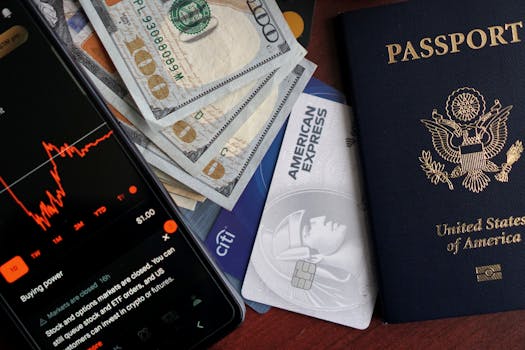
Best iPhone Apps for Managing Credit Cards Securely
In today’s digital age, managing your finances effectively is paramount. With numerous credit cards in circulation, keeping track of your spending, rewards, and security can become overwhelming. Fortunately, there are several iPhone apps designed to help you manage your credit cards securely. This blog post will explore the **best iPhone apps for managing credit cards securely**, focusing on their features, benefits, and how they can simplify your financial life.
Why Use Apps to Manage Credit Cards?
Using apps to manage your credit cards comes with several advantages:
- Enhanced Security: Many apps use encryption and biometric authentication to keep your data safe.
- Real-Time Tracking: Monitor your transactions and spending patterns instantly.
- Reward Management: Track your credit card rewards and maximize benefits.
- User-Friendly Interfaces: Most apps offer intuitive designs that make managing finances easier.
Top iPhone Apps for Secure Credit Card Management
1. Mint
Mint is one of the most popular personal finance apps available on the iPhone. It not only helps you manage your credit cards but also offers a comprehensive overview of your financial health. With Mint, you can:
- Track All Your Accounts: Connect your bank accounts, credit cards, and investment accounts in one place.
- Set Budgets: Create budgets based on your spending habits and monitor your progress.
- Get Alerts: Receive notifications for due dates, unusual spending, or changes in your credit score.
Mint’s security features include bank-level encryption and multi-factor authentication, ensuring that your financial data is always protected. You can download Mint from the App Store.
2. Truebill
Truebill is another excellent app for managing credit cards. It helps you track subscriptions and recurring payments, ensuring that you never miss a payment or get charged unexpectedly. Key features of Truebill include:
- Subscription Tracking: Easily monitor your subscriptions and cancel any that you no longer use.
- Bill Negotiation: Truebill can negotiate your bills on your behalf to save you money.
- Credit Card Management: View all your credit card transactions in one place and set reminders for due dates.
Truebill uses bank-level security measures to keep your information safe. Find out more about Truebill on their official website.
3. YNAB (You Need A Budget)
YNAB is specifically designed for budgeting, but it also offers robust features for managing credit cards. This app is perfect for those who want a proactive approach to their finances. Here’s what YNAB offers:
- Goal Setting: Set financial goals and receive guidance on how to achieve them.
- Credit Card Tracking: Manage your credit card balances and payments seamlessly.
- Educational Resources: Access a wealth of budgeting strategies and tips to improve your financial literacy.
YNAB employs strong encryption and offers a 34-day free trial, making it a great choice for those who want to test its features. Check out YNAB on the App Store.
4. Personal Capital
Personal Capital is an investment-focused app that also provides credit card management tools. It’s designed for those looking to integrate their credit cards with their overall financial picture. Features include:
- Investment Tracking: Monitor your investment accounts alongside your credit cards.
- Net Worth Calculation: Get a clear view of your financial status, including debts from credit cards.
- Cash Flow Tracking: Analyze your spending habits and identify areas for improvement.
Personal Capital is known for its strong security measures, including data encryption and multi-factor authentication. You can learn more about it on their official website.
5. Credit Karma
Credit Karma is primarily known for providing free credit scores, but it also offers tools to help you manage your credit cards effectively. Key benefits of using Credit Karma include:
- Credit Monitoring: Receive alerts for changes to your credit report or score.
- Personalized Offers: Get recommendations for credit cards tailored to your financial situation.
- Spending Insights: Analyze your spending patterns to make better financial decisions.
Credit Karma prioritizes user security with advanced encryption protocols. Download it from the App Store.
Essential Security Features to Look For
- Encryption: Look for apps that use end-to-end encryption to protect your data.
- Two-Factor Authentication: This adds an extra layer of security by requiring a second method of verification.
- Biometric Login: Fingerprint or facial recognition can enhance security while providing convenience.
- Regular Security Audits: Apps that undergo regular security checks are more likely to be secure.
How to Safely Manage Your Credit Cards with Apps
To maximize the benefits of these apps while keeping your information secure, consider the following tips:
- Use Strong Passwords: Always create unique passwords for each app and change them regularly.
- Enable Notifications: Set up alerts for transactions and payments to keep track of your spending.
- Review Your Accounts Regularly: Regularly check your transactions for any unauthorized activity.
- Stay Updated: Keep your apps updated to ensure you have the latest security features.
Conclusion
Managing credit cards securely on your iPhone has never been easier, thanks to the myriad of apps available. Whether you choose Mint for budgeting, Truebill for subscription management, or YNAB for a proactive approach, you can find an app that meets your needs. By employing best practices and leveraging these tools, you can take control of your finances with confidence.
FAQ
1. Are these apps free to use?
Most of the apps mentioned offer free versions with basic features. Some may provide premium features for a subscription fee.
2. How do these apps ensure my credit card information is secure?
These apps typically use bank-level encryption, two-factor authentication, and other security measures to protect your data.
3. Can I manage multiple credit cards with these apps?
Yes, most of these apps allow you to connect multiple credit cards and accounts for comprehensive financial management.
4. Do I need to provide my credit card information to use these apps?
Yes, to track and manage your credit cards effectively, you will need to input your card details. Ensure you use trusted apps to safeguard your information.
5. Can these apps help improve my credit score?
While they don’t directly improve your credit score, they help you manage payments and monitor your credit report, which can positively impact your score over time.