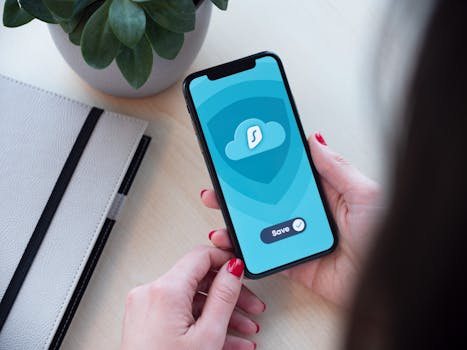
Best iPhone Apps for Managing Encrypted Archives
In today’s digital world, security and privacy are paramount. Whether you’re storing sensitive documents, personal photos, or confidential files, managing encrypted archives is essential. For iPhone users, several apps can help you easily manage these encrypted files while ensuring that your data remains safe and secure. In this blog post, we will explore the best iPhone apps for managing encrypted archives, discussing their features, usability, and how they can help you protect your valuable information.
Why Use Encrypted Archives?
Encrypted archives are essential for anyone who deals with sensitive information. By encrypting files, you ensure that only authorized users can access them. This is particularly important for:
- Personal Data Protection: Safeguarding personal information like financial records, health data, and private communications.
- Business Security: Protecting sensitive corporate documents, client information, and proprietary data from unauthorized access.
- Compliance: Meeting regulatory requirements for data protection in various industries.
With the right tools, managing these encrypted archives becomes seamless. Here are some of the best iPhone apps that make this task easier.
1. iZip
iZip is a powerful and user-friendly app for managing compressed files and encrypted archives. Its features include:
- Support for various archive formats, including ZIP, RAR, and 7Z.
- Ability to encrypt and decrypt archives using strong AES-256 encryption.
- Integration with cloud services like Dropbox and Google Drive for easy file management.
iZip’s intuitive interface makes it easy for users to zip, unzip, and manage encrypted archives without any hassle. The app is available for free on the App Store, with additional features available through in-app purchases.
2. WinZip
Another leading contender in the world of file compression and encryption is WinZip. This app has been a staple for managing files on various platforms, and its iOS version does not disappoint. Key features include:
- Easy creation of encrypted ZIP files with AES-256 encryption.
- Support for numerous file formats, making it versatile for all your archiving needs.
- Seamless integration with cloud storage services.
WinZip’s interface is straightforward, allowing users to manage their encrypted archives swiftly. You can download WinZip from the App Store, and while it offers a free version, you might want to consider the premium features for enhanced security.
3. Documents by Readdle
Documents by Readdle is not just a document viewer; it’s a powerful file manager that also supports encrypted archives. Its main features are:
- Ability to open, create, and manage encrypted ZIP files.
- A robust file management system that lets you organize files efficiently.
- Integration with various cloud services, enabling easy access to your files from anywhere.
Documents by Readdle is particularly useful for users who need a comprehensive document management solution alongside encrypted archive capabilities. It’s available for free on the App Store, with certain advanced features offered via a subscription model.
4. Zip & RAR File Extractor
If you need a straightforward app specifically for extracting and managing archives, Zip & RAR File Extractor is an excellent choice. It provides:
- Support for ZIP, RAR, and other popular archive formats.
- Encryption options to protect your files securely.
- Simple, user-friendly interface that allows quick access to your files.
This app is perfect for users who want a no-frills approach to managing encrypted archives. It’s available for free, with some in-app purchases for additional features.
5. 7-Zip File Manager
7-Zip File Manager is a solid choice for users who are familiar with the 7-Zip software on desktop platforms. The mobile version brings many features, including:
- Support for a wide range of archive formats, including 7Z, ZIP, and RAR.
- Strong encryption options using AES-256.
- File management capabilities that allow users to organize and view their files easily.
7-Zip is appreciated for its efficiency and powerful compression algorithms. It’s an excellent tool for those who want a reliable way to handle encrypted archives on their iPhones.
6. iVault
For users looking for a more secured approach to managing files, iVault offers a unique solution. This app focuses on privacy and security, providing:
- Strong encryption features for all types of files, including images and documents.
- User-friendly interface with customizable folders for organizing files.
- Backup options to ensure your files are safe.
iVault is particularly suited for users who prioritize security above all else. It is available on the App Store, with a free version that includes essential features and a paid version for advanced functionalities.
7. Files App (iOS Built-in)
Don’t overlook the built-in Files app in iOS, which has significantly improved over the years. While it may not have all the features of dedicated third-party apps, it provides essential capabilities for managing encrypted archives:
- Ability to create and manage ZIP files directly.
- Integration with iCloud Drive and other third-party cloud services.
- Document previews for various file types, making it easier to manage your files.
The Files app is an excellent starting point for users who need basic functionalities without downloading additional apps. More information on the Files app can be found on Apple’s official support page.
Choosing the Right App for Your Needs
When considering which app to use for managing encrypted archives, think about the following factors:
- Usability: Choose an app with an interface that is easy to navigate.
- Security Features: Ensure that the app uses strong encryption methods to protect your files.
- Format Support: Make sure the app supports the archive formats you frequently use.
- Cloud Integration: If you store files in the cloud, choose an app that integrates well with your preferred services.
- Cost: Consider whether the app offers a free version or if you need to invest in a premium subscription for additional features.
FAQ
What is an encrypted archive?
An encrypted archive is a compressed file that has been secured with encryption to prevent unauthorized access. This ensures that only individuals with the correct password or decryption key can access the contents.
Can I create encrypted archives on my iPhone?
Yes, many apps available on the App Store, such as iZip and WinZip, allow you to create encrypted archives easily.
Is it safe to store sensitive information in encrypted archives?
Yes, storing sensitive information in encrypted archives is safe, provided that you use strong encryption methods and secure passwords.
Are there any free apps for managing encrypted archives on iPhone?
Yes, several free apps, including iZip and Documents by Readdle, offer basic features for managing encrypted archives. However, premium features may require in-app purchases.
In conclusion, managing encrypted archives on your iPhone has never been easier. With the right apps, you can protect your sensitive data while ensuring accessibility and convenience. Explore the options listed above to find the best solution that meets your needs!