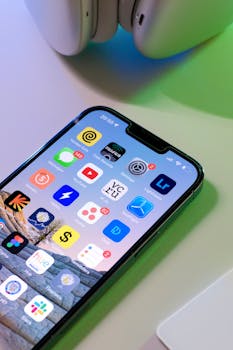
Best iPhone Apps for Managing Multiple Devices
In today’s fast-paced digital world, managing multiple devices can be a daunting task. Whether you own several Apple products or use a combination of devices from different manufacturers, having the right tools can streamline your experience. This blog post explores the best iPhone apps for managing multiple devices, ensuring seamless synchronization, efficiency, and organization.
Why You Need Device Management Apps
As technology evolves, most users find themselves juggling multiple devices such as iPhones, iPads, Macs, and even Android devices. Managing these devices effectively can enhance productivity and reduce frustration. Here are some key reasons why you should consider using device management apps:
- Centralized Control: Device management apps allow you to control settings and features across all your devices from a single interface.
- Data Synchronization: These apps ensure that your documents, photos, and other data are synced across devices, making it easier to access what you need, when you need it.
- Enhanced Security: With advanced security features, you can monitor and protect your devices against unauthorized access.
Top iPhone Apps for Managing Multiple Devices
1. Apple’s Continuity Suite
Apple’s own Continuity suite is one of the best options for users entrenched in the Apple ecosystem. This feature allows for seamless integration between iPhone, iPad, and Mac. Here’s how it works:
- Handoff: Start a task on one device and continue it on another without losing any progress.
- Universal Clipboard: Copy text on one device and paste it on another.
- Phone Calls: Make and receive calls from your Mac when your iPhone is nearby.
For more information, you can visit the official Apple Continuity page.
2. Microsoft OneDrive
For those who work across multiple platforms, Microsoft OneDrive is an invaluable tool. This cloud storage service not only allows you to store files but also enables easy access and sharing across various devices. Key features include:
- Automatic photo and video backup from your iPhone.
- File sharing with team members or family members.
- Collaborative editing using Microsoft Office apps.
OneDrive integrates well with both iOS and Windows, making it an ideal choice for those who utilize multiple operating systems.
3. Google Drive
Similar to OneDrive, Google Drive offers robust cloud storage and collaboration features. It is particularly beneficial for users who utilize Google’s suite of apps like Docs, Sheets, and Slides. Benefits include:
- Real-time collaboration on documents.
- Seamless syncing across devices.
- Generous free storage options with paid upgrades available.
Google Drive can be accessed from any device, ensuring that your files are always at your fingertips.
4. Todoist
When managing multiple devices, it’s crucial to stay organized. Todoist is a powerful task management app that allows you to create to-do lists and organize tasks across devices. Key features of Todoist include:
- Cross-platform availability on iOS, Android, and web.
- Collaboration tools for team projects.
- Customizable labels and filters to prioritize tasks.
By using Todoist, you can ensure that your tasks are managed efficiently, regardless of the device you are using.
5. TeamViewer
If you need remote access to your devices, TeamViewer is a fantastic option. This app allows you to connect to other devices from your iPhone, making it easy to troubleshoot issues or access files. Features include:
- Remote control of PCs and Macs.
- File transfer capabilities between devices.
- Multi-platform support, allowing connections to Windows, Mac, Linux, and mobile devices.
TeamViewer is particularly beneficial for IT professionals or anyone needing remote assistance.
6. LastPass
With multiple devices comes the challenge of managing various passwords. LastPass is a password manager that securely stores your passwords and allows you to access them across all your devices. Key features include:
- Password generation for enhanced security.
- Autofill capabilities on iOS browsers and apps.
- Multi-factor authentication for added security.
By using LastPass, you can ensure that your accounts remain secure while easily accessible from any device.
7. Notion
For those who thrive on organization and productivity, Notion is an all-in-one workspace where you can write, plan, and collaborate. Notion excels in managing projects across multiple devices. Features include:
- Customizable templates for notes, tasks, and databases.
- Real-time collaboration with team members.
- Cross-platform availability, including iOS, Android, and web.
Notion is perfect for anyone looking to streamline their workflow across various devices.
8. Apple’s Find My App
Lastly, if you often misplace your devices, Apple’s Find My app is essential. This app allows you to locate your Apple devices, ensuring they’re never lost for long. Key features include:
- Track the location of your devices on a map.
- Play a sound to help locate a misplaced device.
- Mark devices as lost to protect your data.
For more information on using Find My, check out the official Apple Find My page.
9. Trello
Another excellent tool for project management is Trello. This app uses boards and cards to help you visualize your projects and tasks. Benefits include:
- Flexibility to organize tasks in a way that works for you.
- Integration with other apps like Google Drive and Slack.
- Accessibility across devices, ensuring you stay updated from anywhere.
Trello is especially useful for collaborative projects or personal task management.
Tips for Choosing the Right Device Management Apps
When selecting apps for managing multiple devices, consider the following:
- Compatibility: Ensure the app works on all your devices, including different operating systems.
- User Interface: A user-friendly interface can significantly enhance your experience.
- Security Features: Look for apps that prioritize security, especially if you handle sensitive information.
Frequently Asked Questions (FAQ)
1. What are device management apps?
Device management apps are software applications designed to help users control, organize, and synchronize multiple devices from a centralized platform.
2. Can I use these apps across different operating systems?
Many of the apps listed, like Microsoft OneDrive and Google Drive, offer cross-platform support, allowing you to use them on both iOS and Android devices.
3. Are there any free options available?
Yes, several apps like Google Drive and Todoist offer free basic versions with the option to upgrade for additional features.
4. How do I ensure the security of my data while using these apps?
Choose apps that provide robust security features such as end-to-end encryption, two-factor authentication, and regular updates to protect your data.
In conclusion, managing multiple devices can be simplified with the right apps. From file management to task organization, the options listed here cater to a variety of needs and preferences. Choosing an app that fits your lifestyle is key to enjoying a seamless multi-device experience.