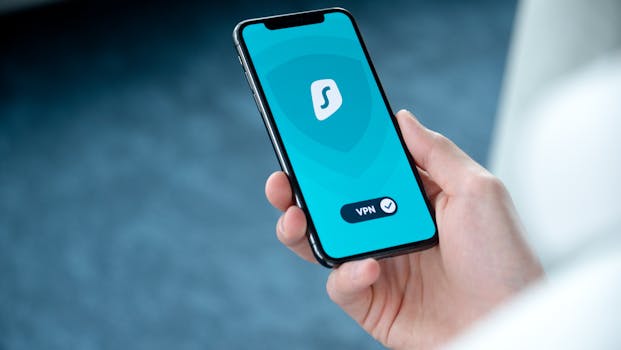
Best iPhone Apps for Managing Private Browsing Sessions
In today’s digital landscape, safeguarding your privacy has become more important than ever. With the rise of online tracking and data collection, many users are turning to private browsing to maintain their anonymity. Fortunately, the iPhone offers a range of applications designed to enhance your private browsing experience. In this article, we will explore the best iPhone apps for managing private browsing sessions, allowing you to surf the web with confidence.
Understanding Private Browsing on iPhone
Before diving into specific apps, it’s essential to understand what private browsing entails. Private browsing, or “incognito mode,” prevents your browser from storing your browsing history, cookies, and site data. On iPhones, Safari offers a built-in private browsing mode, but you may want to explore additional applications that enhance your privacy further.
Top iPhone Apps for Private Browsing
Here’s a list of the most effective iPhone apps that help you manage private browsing sessions:
- 1. DuckDuckGo Privacy Browser
- 2. Firefox Focus
- 3. Brave Browser
- 4. Opera Touch
- 5. Private Browser – Incognito Web
- 6. Aloha Browser
- 7. Ghostery Privacy Browser
DuckDuckGo is renowned for its commitment to user privacy. The DuckDuckGo Privacy Browser not only allows private browsing but also blocks trackers and enforces encryption when available. With its easy-to-use interface, you can search the web without worrying about being followed.
Firefox Focus is designed specifically for private browsing. This app automatically blocks ads and trackers, and it clears your history and cookies with a single tap. The Firefox Focus app allows you to enjoy a seamless browsing experience while ensuring your data remains private.
Brave not only offers a fast browsing experience but also includes built-in ad and tracker blocking. With its private browsing mode, you can browse the internet without leaving a trace. Brave’s commitment to user privacy makes it an excellent choice for those seeking to manage their online activities discreetly.
Opera Touch is a feature-rich browser that includes a private browsing mode. It allows you to switch between regular and private sessions easily and provides a built-in VPN for additional security. With its innovative features, Opera Touch is perfect for users who prioritize both privacy and functionality.
This app specializes in private browsing and offers a range of features designed to enhance your experience. With its user-friendly interface, you can easily navigate between private and public browsing sessions. The Private Browser – Incognito Web app ensures that your browsing data remains secure and private.
Aloha Browser provides a solid private browsing experience with a built-in VPN. This app allows you to browse anonymously while also offering features like a download manager and the ability to stream videos. The combination of privacy and functionality makes Aloha Browser a popular choice among users who value their online security.
Ghostery is primarily known for its privacy-focused browser extension, but its iOS app is equally impressive. The Ghostery Privacy Browser helps you identify and block trackers while allowing you to browse privately. Its intuitive design makes it easy to use, and it includes a range of features to enhance your privacy.
Key Features to Look for in Private Browsing Apps
When searching for the best iPhone apps for managing private browsing sessions, consider the following features:
- Tracker Blocking: Apps that automatically block trackers help maintain your privacy.
- Ad Blocking: Look for browsers that can filter out ads, which often track user behavior.
- Built-in VPN: A VPN (Virtual Private Network) adds an extra layer of security by encrypting your internet connection.
- Easy Switching: The ability to switch between private and regular browsing sessions smoothly enhances user experience.
- History Management: Apps that automatically clear history and cookies after each session ensure that no traces of your activity remain.
Enhancing Your Private Browsing Experience
While using private browsing apps is a great start, there are additional steps you can take to enhance your online privacy:
- Use Strong Passwords: Utilize a password manager to create and store strong, unique passwords for your accounts.
- Enable Two-Factor Authentication: Whenever possible, enable two-factor authentication on your accounts for added security.
- Review App Permissions: Regularly check the permissions granted to your apps and revoke any unnecessary access.
- Stay Updated: Keep your apps and iOS updated to benefit from the latest security enhancements.
Privacy Settings on iPhone
Apple has implemented several privacy features within iOS to help users manage their data. You can access these settings by navigating to:
- Open the Settings app on your iPhone.
- Select Privacy & Security.
- Review the various settings available, such as location services, tracking, and app permissions.
For more information on iOS privacy features, you can visit the official Apple Privacy Page.
Conclusion
Choosing the right app for managing your private browsing sessions can significantly enhance your online privacy. Whether you prefer a browser like DuckDuckGo or a more feature-rich option like Brave, the best iPhone apps for private browsing can help you navigate the internet securely. Take the time to explore these options and find the app that best fits your needs.
Frequently Asked Questions (FAQ)
1. What is private browsing on iPhone?
Private browsing on iPhone allows you to surf the internet without saving your browsing history, cookies, or site data. This feature is available in Safari and other third-party browsers.
2. Are private browsing apps completely secure?
While private browsing apps enhance privacy, no app can guarantee complete security. It’s crucial to use additional privacy measures like strong passwords and a VPN for optimal protection.
3. Can I use multiple private browsing apps simultaneously?
Yes, you can install and use multiple private browsing apps on your iPhone. Each app operates independently, allowing you to choose the best one for your needs at any time.
4. Do private browsing apps track my activity?
Most reputable private browsing apps do not track your activity. However, always review the privacy policy of any app you use to understand how your data is handled.
5. Can I recover my browsing history after using private mode?
No, once you exit private browsing mode, your history, cookies, and site data are usually deleted and cannot be recovered. This feature is designed to protect your privacy.
By utilizing the right tools and understanding the privacy features available, you can confidently manage your private browsing sessions on your iPhone.