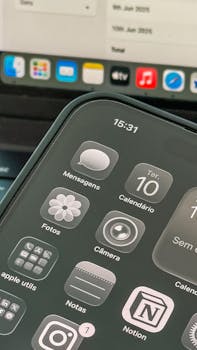
Best iPhone Apps for Secure Cloud Notes
In an age where data privacy and security are paramount, finding the right tools to manage your notes is essential. If you’re an iPhone user looking for the best apps for secure cloud notes, you’ve come to the right place. This guide will explore various applications that not only help you take notes but also ensure that your information remains safe and accessible across devices.
Why Secure Cloud Notes Matter
With the increasing reliance on digital platforms for storing sensitive information, it’s crucial to choose applications that prioritize security. Secure cloud notes can help you manage everything from personal thoughts to business ideas, all while keeping your data protected from unauthorized access.
Top Features to Look for in Secure Cloud Note Apps
- End-to-End Encryption – This ensures that only you can access your data.
- Two-Factor Authentication – Adds an extra layer of security to your account.
- Cross-Platform Compatibility – Ability to access notes from various devices.
- Data Backup – Regular backups to cloud services for added protection.
- User-Friendly Interface – Easy to navigate and use, even for non-tech-savvy users.
1. Apple Notes
Built directly into iOS, Apple Notes is a versatile note-taking application that offers a range of features. The app supports rich text formatting, checklists, and even sketches. Notably, it provides robust security options, including:
- End-to-End Encryption for all notes stored in iCloud.
- Ability to lock individual notes with a password or Touch ID/Face ID.
- Seamless integration with other Apple services and devices.
For more information, check out the Apple Support page.
2. Evernote
Evernote is a well-known note-taking app that has evolved significantly over the years. It allows users to create notes in various formats, including text, images, and voice memos. The app focuses on security with features like:
- Encryption for notes and attachments.
- Two-Step Verification to protect your account.
- Options to organize notes with tags and notebooks for easy retrieval.
The free tier offers ample storage, but premium features like offline access and additional security options are available with a subscription. Explore more at Evernote’s official site.
3. Microsoft OneNote
Part of the Microsoft Office suite, OneNote is an excellent choice for users embedded in the Microsoft ecosystem. The app allows for collaborative note-taking and integrates well with other Office applications. Security features include:
- Encryption for individual sections of your notes.
- Two-Factor Authentication for added security.
- Easy sharing options that allow you to collaborate securely.
OneNote is free to use, making it a cost-effective solution for secure note-taking. More information can be found on the OneNote homepage.
4. Notion
Notion has gained popularity as an all-in-one workspace for notes, tasks, and databases. It offers extensive customization but also emphasizes security. Key features include:
- End-to-End Encryption for data stored in the cloud.
- Robust sharing settings to control who can view or edit your notes.
- Cross-platform availability ensures access from any device.
Notion’s flexibility makes it suitable for both personal and professional use. Learn more about its security features at the Notion Security Page.
5. Simplenote
If you’re looking for a straightforward solution, Simplenote is a minimalist note-taking app that focuses on being lightweight yet secure. Its strengths include:
- Encryption of notes both in transit and at rest.
- Version history to revert to previous versions of notes.
- Cross-platform synchronization, making it easy to access from any device.
Simplenote is entirely free, making it an attractive option for those who prioritize simplicity and security. More details can be found on the Simplenote website.
6. Zoho Notebook
Zoho Notebook is another excellent choice for secure note-taking on iPhone. Its visually appealing interface allows users to create notes in various formats, including text, audio, and sketches. Security features include:
- Encryption for notes stored on Zoho’s servers.
- Ability to lock notebooks with a password.
- Automatic backup to Zoho’s secure cloud services.
For those looking for a free note-taking app with solid security, Zoho Notebook is worth considering. Check out more on the Zoho Notebook homepage.
7. Google Keep
Google Keep is a popular note-taking service that integrates seamlessly with other Google services. While it may not offer the same level of security as some other apps, it does provide essential features such as:
- Basic encryption for data in transit.
- Two-Step Verification for Google accounts.
- Easy sharing options and collaboration capabilities.
For those embedded in the Google ecosystem, Google Keep is a convenient option. Find out more at the Google Keep page.
8. Turtl
If privacy is your utmost concern, Turtl is designed with security in mind. The app uses strong encryption and is open-source, allowing users to verify its security measures. Key features include:
- End-to-End Encryption for all notes and data.
- Support for various note types, including documents and images.
- Cross-platform functionality ensures access on multiple devices.
Turtl is ideal for users who want a secure, private note-taking experience. More information can be found on the Turtl website.
9. Standard Notes
Standard Notes prioritizes security and simplicity, making it an excellent choice for users focused on privacy. Key features include:
- End-to-End Encryption for all notes.
- Customizable with various themes and editors.
- Cross-platform compatibility for easy access.
Standard Notes comes with a free tier, while additional features are available through a subscription. Learn more at the Standard Notes site.
FAQ
What is the best app for secure notes on iPhone?
The best app depends on your needs, but options like Apple Notes, Evernote, and Notion are all excellent choices for their security features and usability.
Are there free secure note apps available?
Yes, many secure note apps, including Simplenote and Zoho Notebook, offer free versions with essential features.
How does end-to-end encryption work?
End-to-end encryption ensures that only you and those you authorize can read the data, as it is encrypted before it leaves your device and can only be decrypted by the intended recipient.
Can I access my notes offline?
Some apps like Evernote and OneNote allow offline access, but it varies by application. Always check the app’s features for offline functionality.
In summary, selecting the right app for secure cloud notes on your iPhone is crucial for maintaining data privacy. Whether you choose a built-in option like Apple Notes or a third-party app with advanced features, the options listed above provide excellent security and usability. Choose wisely, and keep your notes safe and organized!