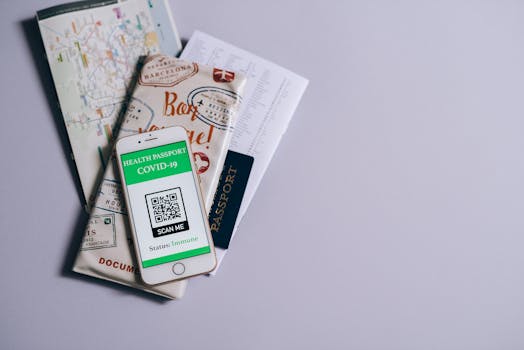
Best iPhone Apps for Secure Identity Verification
In an increasingly digital world, securing personal identity has become paramount. With the rise of online transactions, remote work, and digital services, the need for reliable identity verification has never been greater. Fortunately, iPhone users have access to a range of applications that facilitate secure identity verification seamlessly. In this blog post, we will explore the best iPhone apps for secure identity verification that enhance your digital safety and privacy.
Why is Secure Identity Verification Important?
Secure identity verification plays a crucial role in protecting your personal information from unauthorized access and fraud. With cyber threats on the rise, using robust verification methods ensures that only you can access sensitive data, such as banking information, social media accounts, and personal profiles.
Identity verification apps help prevent identity theft, phishing scams, and unauthorized account access. By utilizing these applications, you not only bolster your security but also gain peace of mind when engaging with digital services.
Key Features of Identity Verification Apps
When evaluating the best iPhone apps for secure identity verification, consider the following features:
- Multi-factor Authentication (MFA): Apps that offer MFA provide an additional layer of security by requiring multiple forms of verification.
- Biometric Authentication: Utilization of Face ID or Touch ID enhances security as these methods are unique to the user.
- Encryption: Look for apps that use strong encryption protocols to protect your data during transmission.
- User-Friendly Interface: The app should be easy to navigate, ensuring that you can quickly verify your identity when needed.
- Integration with Other Services: The ability to integrate with banking apps, social media, and other services can streamline the verification process.
Top iPhone Apps for Secure Identity Verification
1. Authy
Authy is a popular two-factor authentication app that adds an extra layer of security to your online accounts. With its intuitive interface, users can easily set up MFA for various platforms, including Google, Facebook, and Dropbox. Authy generates time-based one-time passwords (TOTPs) that are valid for a short duration, making it difficult for hackers to access your accounts.
For more information, visit the official Authy website.
2. LastPass Authenticator
LastPass is widely known for its password management capabilities, but its authenticator feature is equally impressive. The LastPass Authenticator app generates secure one-time codes and supports biometric authentication for added security. LastPass syncs across devices, making it a robust tool for identity verification across all your platforms.
Explore more on the LastPass official page.
3. Okta Verify
Okta Verify is a powerful identity verification app designed for enterprises and individual users alike. It supports MFA and can be integrated with various applications to ensure secure access. Okta Verify also offers push notifications for quick authentication, making it convenient for busy professionals.
Learn more about Okta on their official website.
4. Microsoft Authenticator
Microsoft Authenticator is another excellent choice for secure identity verification. Not only does it provide MFA for Microsoft accounts, but it also supports other services. The app features cloud backup and recovery options to ensure you don’t lose your verification codes. Additionally, it offers an intuitive interface for easy navigation.
Check out Microsoft Authenticator on the Microsoft official site.
5. Google Authenticator
Google Authenticator has been a staple in the world of identity verification for years. This app generates secure codes for two-factor authentication, making it a reliable choice for users looking to enhance their security. The app is simple to use and does not require an internet connection to function once set up.
For more details, visit the Google support page.
6. Apple Wallet
For iPhone users, Apple Wallet provides a convenient and secure way to store various forms of identification. With the addition of digital IDs in some regions, Apple Wallet allows users to verify their identity without carrying physical cards. This feature is particularly useful for travel and accessing age-restricted services.
Learn more about the features of Apple Wallet on the Apple Support page.
7. ID.me
ID.me is a secure digital identity verification platform that caters to both individuals and businesses. It is widely used by government agencies for identity verification, making it a trusted option for those needing to prove their identity online. The app allows users to upload documents securely and verify their identity within minutes.
For further information, check the ID.me official page.
8. Yubikey Authenticator
The Yubikey Authenticator app works in conjunction with Yubikey hardware tokens to provide strong identity verification. This combination offers an unbeatable level of security for users who prioritize digital safety. The app generates one-time codes and supports a wide range of services, ensuring that you can verify your identity securely.
Find out more about Yubikey on the Yubico website.
How to Choose the Right App for You
Choosing the right app for secure identity verification depends on your specific needs and preferences. Here are some key considerations to help guide your decision:
- Compatibility: Ensure the app is compatible with the services you use most often.
- Security Features: Look for apps that provide MFA, biometric authentication, and strong encryption.
- User Reviews: Check user reviews and ratings to gauge the reliability and performance of the app.
- Cost: While many apps offer free versions, some may require a subscription for premium features. Determine your budget before selecting an app.
Final Thoughts on Secure Identity Verification
Investing in a reliable identity verification app is essential for protecting your personal information in today’s digital landscape. The best iPhone apps for secure identity verification not only enhance your security but also provide peace of mind when interacting with online services. Whether you choose Authy, Microsoft Authenticator, or any of the other apps listed above, the key is to prioritize your digital safety by implementing strong verification practices.
FAQ
1. What is identity verification?
Identity verification is the process of confirming an individual’s identity using various methods, such as passwords, biometric data, or government-issued IDs.
2. Why should I use an identity verification app?
Using an identity verification app enhances your security by providing additional layers of protection against unauthorized access and identity theft.
3. Are these apps free to use?
Many identity verification apps offer free versions, while some may have premium features that require a subscription or one-time payment.
4. Can I use these apps for multiple accounts?
Yes, most identity verification apps allow you to secure multiple accounts across various services, making them versatile solutions for digital security.
5. Is it safe to use these apps?
As long as you choose reputable apps that employ strong encryption and security measures, using identity verification apps is generally safe and recommended.
For more information on identity verification and security practices, visit the Apple Privacy page.