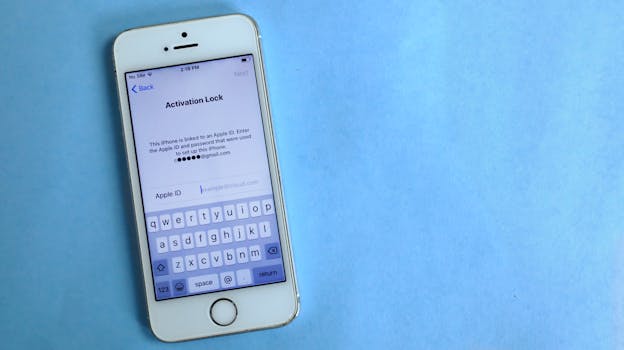
Best iPhone Apps for Secure Password Audits
In today’s digital age, securing your online accounts has never been more critical. With the increasing number of data breaches, knowing how to conduct a secure password audit is essential for protecting your sensitive information. Fortunately, there are several iPhone apps designed specifically for this purpose. In this article, we will explore the best iPhone apps for secure password audits, highlighting their features and benefits.
Why You Need a Password Audit
A password audit involves reviewing your existing passwords to ensure they meet security best practices. Many users often recycle passwords or use easily guessable ones, putting their data at risk. Regular audits can help identify weak passwords, confirm that you’re not using the same password across multiple sites, and ensure that your passwords are stored securely.
Features to Look for in Password Audit Apps
When selecting an app for auditing your passwords, consider the following features:
- Security Protocols: Look for apps that use strong encryption methods to protect your data.
- User-Friendly Interface: An intuitive design ensures you can easily navigate through your passwords.
- Compatibility: Ensure the app is compatible with iOS and integrates well with other systems, such as iCloud Keychain.
- Password Strength Analysis: The app should offer tools to evaluate the strength of your passwords.
- Two-Factor Authentication: Additional security measures like two-factor authentication (2FA) should be supported.
Top iPhone Apps for Secure Password Audits
1. LastPass
LastPass is one of the most well-known password management apps available today. It offers a comprehensive password audit feature that evaluates the strength of your passwords and alerts you to weak or reused passwords.
Key features include:
- Secure password storage with AES-256 bit encryption
- Security challenge to assess password strength
- Two-factor authentication for added security
LastPass is available for free, with premium features accessible through a subscription. You can learn more by visiting the LastPass website.
2. 1Password
1Password is another excellent option that combines security with user-friendliness. The app features a robust password audit tool that helps you identify weak passwords and provides recommendations for stronger alternatives.
Notable features include:
- Watchtower feature that alerts you to security breaches
- Customizable password generation tools
- End-to-end encryption to secure your data
1Password requires a subscription, but it offers a free trial. For more information, visit the 1Password website.
3. Bitwarden
Bitwarden is a free and open-source password manager that offers strong security features and useful auditing tools. It allows users to check the strength of their passwords and identifies any reused passwords across different accounts.
Features of Bitwarden include:
- Secure password sharing with trusted contacts
- Two-factor authentication for enhanced security
- Self-hosting option for advanced users
For more details, check out the Bitwarden website.
4. Dashlane
Dashlane not only manages your passwords but also offers a powerful password auditing feature. It analyzes your password security and helps you create stronger passwords when needed.
Key features include:
- Dark web monitoring for compromised accounts
- Password health reports to track your overall security status
- Built-in VPN for secure browsing
Dashlane offers a free version with basic features and a premium subscription for advanced tools. You can find more information on the Dashlane website.
5. Keeper Password Manager
Keeper is a highly secure password management app that includes a password auditing tool. It assesses your password strength and provides feedback to improve your security posture.
Notable features include:
- Zero-knowledge encryption to protect your data
- Breached password alerts
- Secure file storage for sensitive documents
Keeper offers a free trial, after which you can subscribe to unlock premium features. More information can be found on the Keeper website.
How to Conduct a Password Audit Using These Apps
Using any of the aforementioned apps for a password audit is straightforward. Here’s a general guide:
- Download and Install: Get your chosen app from the App Store and install it on your iPhone.
- Create an Account: Sign up for a new account if required, or log in if you already have one.
- Import Passwords: Import your existing passwords from your browser or other password managers if necessary.
- Run the Audit: Navigate to the password audit feature and run the analysis.
- Review Results: Examine any weak or reused passwords and follow the app’s recommendations.
- Update Your Passwords: Change any weak passwords directly from the app or through the website of the service.
Best Practices for Password Management
In addition to regular password audits, here are some best practices for managing your passwords:
- Use Unique Passwords: Always use different passwords for different accounts.
- Enable Two-Factor Authentication: Whenever possible, enable 2FA to add an extra layer of security.
- Update Regularly: Change your passwords periodically, especially for sensitive accounts.
- Utilize Password Managers: Use a password manager to help create and store complex passwords securely.
Frequently Asked Questions
What is a password audit?
A password audit is the process of reviewing your passwords to ensure they are secure, unique, and not easily guessable.
Why should I use a password manager?
Password managers help you store and manage your passwords securely. They also assist in generating strong passwords and conducting audits of your password strength.
Are password audits necessary?
Yes, password audits are crucial to maintaining your online security, especially in an era where data breaches are common.
Can I use these apps on other devices?
Most of the apps mentioned are cross-platform, allowing you to use them on various devices, including Android, Windows, and macOS.
By utilizing these best iPhone apps for secure password audits, you can significantly enhance your online security, protect your sensitive information, and navigate the digital world with confidence.