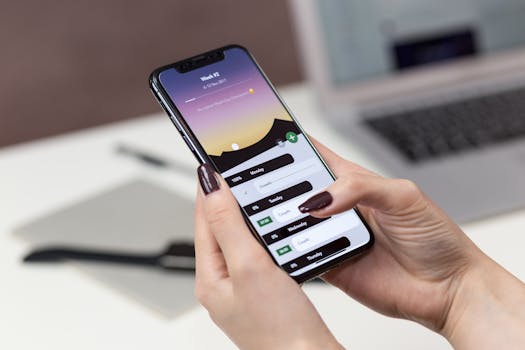
Best iPhone Apps for Secure Task Management
In today’s fast-paced world, staying organized is crucial, especially when handling sensitive information. Fortunately, there are several iPhone apps specifically designed for secure task management. These apps not only help you manage your tasks but also ensure that your data remains protected. Below is a detailed look at some of the best options available for iPhone users looking to prioritize security.
Why Secure Task Management Matters
Task management apps are essential for productivity, but security should be a top priority for anyone dealing with confidential data. Whether you are managing personal tasks or collaborating on projects that involve sensitive information, a secure environment is vital. Here are some reasons why you should consider secure task management tools:
- Data Protection: Secure apps encrypt your information, making it difficult for unauthorized users to access it.
- Privacy Compliance: Many secure task management apps comply with regulations like GDPR, ensuring your data is handled properly.
- Collaboration Security: When working with teams, secure apps offer features that protect shared tasks and files from potential breaches.
Top iPhone Apps for Secure Task Management
Here’s a curated list of some of the best iPhone apps for secure task management, each offering unique features designed to enhance your productivity while keeping your data safe.
1. Todoist
Todoist is a popular task management tool known for its user-friendly interface and powerful features. With its robust security measures, including two-factor authentication and data encryption, it’s an excellent choice for anyone looking for a secure way to manage tasks.
- Key Features:
- Collaboration tools for team projects
- Priority levels for tasks
- Recurring due dates
- Security: End-to-end encryption ensures that your data remains private.
2. Microsoft To Do
Microsoft To Do is integrated with Microsoft 365, making it an ideal option for users already in that ecosystem. It boasts strong security features, including data encryption both at rest and in transit.
- Key Features:
- Smart Lists for quick access to tasks
- Subtasks and notes for detailed task management
- Integration with Outlook for seamless email and task management
- Security: Microsoft’s commitment to security ensures your data is well-protected.
3. Asana
For teams looking for a comprehensive task management solution, Asana offers excellent project management capabilities with a focus on security. It features advanced permission settings to control who can see or edit tasks, making it a great option for organizations.
- Key Features:
- Project templates for quick setup
- Timeline and calendar views for project tracking
- Custom fields for tailored task management
- Security: Asana adheres to industry standards for data protection, including encryption and regular security audits.
4. Trello
Trello is a visual task management tool that uses boards and cards for organization. It provides a secure environment for managing tasks, especially for creative teams and projects that require collaboration.
- Key Features:
- Customizable boards and lists
- Power-ups for enhanced functionality
- Real-time collaboration features
- Security: Trello uses encryption and offers enterprise-level security options for organizations.
5. Things 3
Things 3 is an award-winning task manager that emphasizes simplicity and elegance. It’s designed specifically for Apple devices, offering seamless integration with iOS features, while also maintaining a strong focus on security.
- Key Features:
- Beautiful, intuitive design
- Quick entry for adding tasks
- Focus mode for distraction-free task management
- Security: Things 3 ensures your data is stored securely within the Apple ecosystem, leveraging iCloud for backup and synchronization.
Choosing the Right App for You
When selecting the best task management app for your needs, consider the following factors:
- User Interface: The app should be intuitive and easy to navigate.
- Security Features: Look for apps that offer encryption and other security measures.
- Integration: Choose an app that integrates well with other tools you use, such as email or calendar apps.
- Collaboration Tools: If you work with teams, ensure the app has features for sharing tasks securely.
Security Best Practices for Task Management
Even with a secure app, it’s essential to follow best practices to ensure your data remains safe:
- Use Strong Passwords: Always create unique, strong passwords for your task management apps.
- Enable Two-Factor Authentication: This adds an extra layer of security to your account.
- Regularly Update the App: Keep your app updated to benefit from security patches and new features.
- Be Cautious with Permissions: Review permissions regularly to ensure that only trusted individuals have access to your tasks.
Conclusion
With the rise of digital task management, choosing the right app that prioritizes security is crucial for keeping your data safe. The iPhone apps mentioned above provide not only effective task management solutions but also robust security features to protect your information. By implementing these tools and following best practices, you can confidently manage your tasks while ensuring that your sensitive data remains secure.
FAQ
- What features should I look for in a secure task management app?
Look for features like encryption, two-factor authentication, and user access controls, along with usability and integration capabilities.
- Are these apps available on other platforms besides iPhone?
Yes, many of these apps are available on multiple platforms, including Android and web versions.
- Can I sync my tasks across devices?
Most of the apps mentioned offer synchronization across devices through cloud services, allowing you to access your tasks from anywhere.