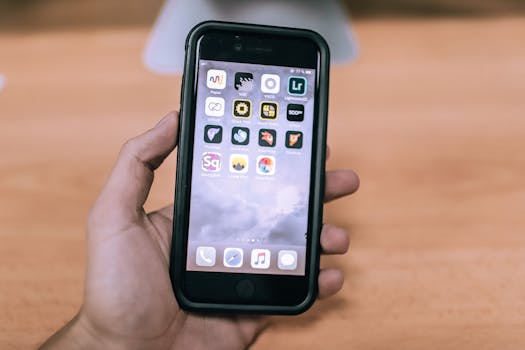
Best Productivity Apps for iPhone Office Users
In today’s fast-paced work environment, maximizing productivity is essential, especially for office users who rely on their iPhones to manage tasks, communicate effectively, and streamline their workflow. This blog post explores the best productivity apps for iPhone office users that can help you stay organized and efficient. Whether you need task management, collaboration tools, or note-taking apps, there’s something here for everyone.
1. Task Management Apps
Task management apps are vital for keeping track of your work and ensuring nothing falls through the cracks. Here are some of the top choices:
- Todoist – A user-friendly task manager that allows you to create projects, set deadlines, and organize tasks into categories. Its integration with various other apps makes it a versatile choice for office users. Explore more on the official Todoist website.
- Microsoft To Do – This app integrates seamlessly with Microsoft 365, making it perfect for users already in the Microsoft ecosystem. Create lists, set reminders, and collaborate with colleagues effortlessly. More details can be found on the Microsoft To Do official page.
- Things 3 – A beautifully designed task management app that focuses on simplicity and effectiveness. Its intuitive interface allows for quick task entry and easy organization. Learn more about its features at the Things official site.
2. Note-Taking Applications
Taking notes efficiently can boost your productivity significantly. Here are some of the best note-taking apps for iPhone office users:
- Evernote – A powerful note-taking application that allows you to create notes in various formats, including text, audio, and images. Its search functionality is particularly impressive, making it easy to locate information quickly. Visit the Evernote website for more insights.
- Apple Notes – Built into iOS, Apple Notes offers a straightforward way to jot down ideas and organize them into folders. Its integration with other Apple services makes it particularly useful for iPhone users. Explore Apple Notes on the Apple Support page.
- Notion – More than just a note-taking app, Notion serves as an all-in-one workspace where you can write, plan, and collaborate. Its flexibility makes it ideal for both personal and professional use. Check out Notion’s features on the Notion website.
3. Collaboration Tools
In a remote or hybrid work environment, collaboration tools are essential for effective teamwork. Here are some of the best options:
- Slack – This messaging app has become a staple for teams, enabling real-time communication, file sharing, and integration with other productivity tools. Find out more about Slack on their official site.
- Trello – A project management tool that uses boards, lists, and cards to help you organize tasks visually. It’s great for team collaboration and project tracking. Visit the Trello website for more details.
- Microsoft Teams – This is more than just a chat app; it integrates with Microsoft Office applications, making it a powerful tool for collaboration and communication. Learn more about Teams on the Microsoft Teams page.
4. Time Management Tools
Managing your time effectively is crucial for productivity. Here are some time management apps that can help:
- RescueTime – This app tracks how you spend your time on your devices, providing insights that can help you identify productivity patterns and make necessary adjustments. More information can be found at the RescueTime website.
- Forest – A unique app that encourages you to stay focused by planting virtual trees as you work. If you leave the app to check social media, your tree dies. Visit the Forest app site to learn more.
- Toggl – An excellent time tracking tool that helps you monitor how much time you spend on various tasks. It’s especially useful for freelancers and teams wanting to track billable hours. Explore Toggl on their official site.
5. Document Editing and Management
For office users, managing documents is a critical task. Here are some top-rated document editing and management apps:
- Microsoft Word – A classic word processing tool that allows you to create, edit, and format documents on your iPhone. It integrates seamlessly with OneDrive for easy cloud access. More details can be found on the Microsoft Word page.
- Google Drive – A cloud-based storage solution that also offers document editing capabilities through Google Docs. It’s perfect for collaboration, allowing multiple users to work on the same document simultaneously. Check out Google Drive on the Google Drive website.
- PDF Expert – An excellent app for managing and editing PDF documents. It allows you to annotate, sign, and fill forms easily, making it a must-have for office work. Visit the PDF Expert website for more information.
6. Email Management Apps
Efficient email management is crucial for productivity. Here are some of the best email apps for iPhone office users:
- Spark – A smart email client that categorizes your emails and allows for quick responses, making it easier to manage your inbox. Discover more about Spark on their official website.
- Outlook – Microsoft’s email client integrates emails, calendars, and tasks into one app, making it an excellent choice for users of Microsoft services. Learn more about Outlook on the Outlook official page.
- Apple Mail – The native email client on iOS, offering a straightforward interface and good integration with other Apple services. Visit the Apple Support page for tips on using Apple Mail effectively.
FAQ
-
What are the best productivity apps for iPhone office users?
Some of the best productivity apps include Todoist, Evernote, Slack, Microsoft To Do, and Microsoft Word. -
How can productivity apps help me?
Productivity apps can help you manage tasks, organize notes, collaborate with team members, track time, and manage documents efficiently, boosting your overall work performance. -
Are there free productivity apps available?
Yes, many productivity apps offer free versions with essential features, including Google Drive, Apple Notes, and Microsoft To Do.
With the right tools at your disposal, you can transform your iPhone into a powerful productivity hub, enabling you to work smarter and more efficiently. Explore these apps and find the ones that best fit your workflow to enhance your productivity as an office user.