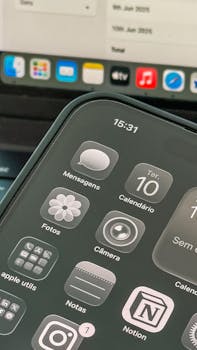
Best Secure Notes Apps for Business Use on iPhone
In today’s fast-paced business environment, keeping sensitive information secure is more crucial than ever. With the rise of remote work and the need for mobile accessibility, having a reliable and secure notes app on your iPhone can make all the difference. This blog post will explore the best secure notes apps available for business use on the iPhone, ensuring that your confidential data remains protected while being easily accessible.
Why You Need a Secure Notes App
Businesses often deal with sensitive data, including client information, financial records, and proprietary knowledge. Using a secure notes app offers several benefits:
- Data Encryption: Most secure notes apps provide end-to-end encryption, ensuring that only you can access your notes.
- Multi-Device Syncing: A good notes app will sync seamlessly across your devices, allowing you to access your notes anywhere, anytime.
- User-Friendly Interface: Modern secure notes apps are designed to be intuitive, making it easy to organize and retrieve information quickly.
- Password Protection: Many apps allow you to protect individual notes or the entire app with a password or biometric authentication.
Top Secure Notes Apps for iPhone
1. Apple Notes
Built into iOS, Apple Notes offers a secure and user-friendly option for note-taking. It is particularly advantageous for users already in the Apple ecosystem.
- Features: End-to-end encryption, support for images and documents, and integration with other Apple services.
- Security: You can lock individual notes with a password or Face ID/Touch ID, ensuring that only authorized users can view sensitive information.
- Collaboration: Share notes with colleagues for collaborative work while maintaining control over access.
For more information, visit the Apple Support page on securing notes.
2. Evernote
Evernote is a popular note-taking app that has evolved into a powerful business tool. It offers a range of features to help you manage your notes securely.
- Features: Rich text formatting, web clipping, and integration with third-party applications like Google Drive and Slack.
- Security: Notes can be secured with a passcode, and the app uses encryption to protect your data.
- Organizational Tools: Use notebooks and tags to categorize notes for easy retrieval.
Evernote is available on multiple platforms, making it ideal for businesses with diverse operating systems. Check out Evernote’s security features for more details.
3. OneNote
Microsoft’s OneNote is another excellent option for secure note-taking on the iPhone. It’s part of the Microsoft Office suite, making it a natural choice for businesses that already use Microsoft products.
- Features: A flexible canvas, multimedia note-taking capabilities, and integration with Outlook and other Microsoft apps.
- Security: Individual sections can be password-protected, ensuring that sensitive data remains private.
- Collaboration: Share notebooks with team members and collaborate in real-time, enhancing productivity.
For more on how OneNote secures your data, visit the Microsoft Support page.
4. Notion
Notion is a versatile workspace that combines note-taking, task management, and database functionalities, making it ideal for businesses.
- Features: Customizable workflows, templates for various business needs, and integration with tools like Trello and Google Drive.
- Security: Notion employs encryption both in transit and at rest, ensuring that your notes are safe from unauthorized access.
- Collaboration: Collaborate with team members in real-time, making it easy to share ideas and projects.
Explore Notion’s security measures to understand how your data is protected.
5. Zoho Notebook
Zoho Notebook is a lesser-known but highly effective secure notes app that emphasizes simplicity and security.
- Features: Beautifully designed cards for different types of notes (text, audio, images), and a user-friendly interface.
- Security: Notes are encrypted, and the app does not sell user data, ensuring your privacy is maintained.
- Cross-Platform: Available on various platforms, allowing easy access to your notes from any device.
Learn more about Zoho Notebook’s security features on their official website.
Comparing Features of Secure Notes Apps
| App | Encryption | Multi-Device Sync | Collaboration | Password Protection |
|---|---|---|---|---|
| Apple Notes | End-to-End | Yes | Yes | Yes |
| Evernote | At Rest | Yes | Yes | Yes |
| OneNote | At Rest | Yes | Yes | Yes |
| Notion | At Rest & In Transit | Yes | Yes | No |
| Zoho Notebook | At Rest | Yes | No | No |
Choosing the Right Secure Notes App
When selecting a secure notes app for your business use on iPhone, consider the following factors:
- Security Features: Ensure that the app offers robust encryption and password protection.
- User Interface: Choose an app that is intuitive and easy to navigate.
- Integration: Look for apps that integrate well with other tools you use, such as email and project management software.
- Cost: Evaluate whether you need premium features, and consider the pricing plans of different apps.
By assessing these criteria, you can make an informed decision that aligns with your business needs.
FAQs
1. Are secure notes apps really secure?
Yes, most secure notes apps utilize encryption to protect your data both at rest and in transit. Always check the app’s security features to ensure your information is safe.
2. Can I access my notes from multiple devices?
Many secure notes apps offer multi-device syncing, allowing you to access your notes from your iPhone, iPad, and even desktop computers.
3. Do I need to pay for a secure notes app?
While some secure notes apps offer free versions with basic features, many provide premium plans that unlock advanced functionalities. Evaluate your business needs to determine if a paid plan is worth it.
4. What happens if I forget my password?
Most secure notes apps have recovery options, such as email verification or security questions, to help you regain access. Always keep your recovery information updated.
Choosing the right secure notes app for your business is essential for maintaining the confidentiality of your data. With the options listed above, you can find a solution that meets your needs and enhances your productivity on the go.