- 1. What is Two Factor Authentication?
- 2. Why Use Two Factor Authentication Apps?
- 3. Top Two Factor Authentication Apps for iPhone
- 4. Choosing the Right 2FA App
- 5. How to Set Up Two Factor Authentication on Your iPhone
- 6. Common Issues with Two Factor Authentication Apps
- 7. FAQ about Two Factor Authentication Apps
Best Two Factor Authentication Apps for iPhone
In an age where cyber threats are becoming increasingly sophisticated, securing your online accounts is more crucial than ever. One of the most effective ways to enhance your security is through two factor authentication (2FA). This method adds an extra layer of protection by requiring not only a password but also a second piece of information that only you possess. For iPhone users, there are several excellent apps available that can help streamline the 2FA process. In this guide, we’ll explore the best two factor authentication apps for iPhone that you can use to safeguard your digital life.
What is Two Factor Authentication?
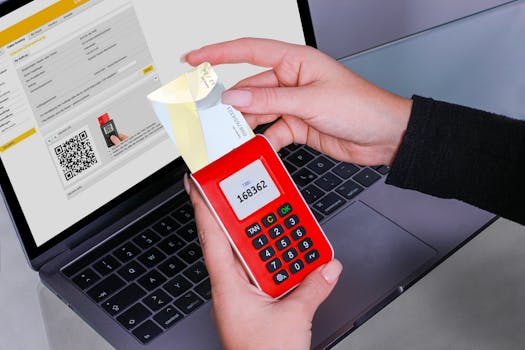
Before diving into the best apps, it’s essential to understand what two factor authentication entails. 2FA is a security process in which the user provides two different authentication factors to verify themselves. This approach significantly reduces the likelihood of unauthorized access, as it requires more than just a password.
Why Use Two Factor Authentication Apps?
While many online services offer built-in 2FA options, using dedicated two factor authentication apps can provide a more streamlined and secure experience. Here are some of the reasons why you should consider using an authentication app:
- Enhanced Security: These apps generate time-based one-time passwords (TOTPs) that are difficult to intercept.
- Offline Access: Most authentication apps do not require an internet connection, making them usable in any situation.
- Easy Backup and Recovery: Many apps offer backup options, ensuring you don’t lose access in case you change or lose your device.
Top Two Factor Authentication Apps for iPhone
Here’s a curated list of the best two factor authentication apps for iPhone, each with unique features and benefits:
1. Authy
Authy is one of the most popular 2FA apps available on the App Store. It offers a user-friendly interface and supports multiple platforms. One of its standout features is the ability to backup your accounts in the cloud, making it easy to recover your tokens if you switch devices or lose your phone.
- Multi-device Support: You can use Authy on multiple devices, including tablets and computers.
- Secure Backup: The app encrypts your backups, ensuring that your data remains private.
- Push Notifications: Receive notifications for account logins and changes.
2. Google Authenticator
Google Authenticator is a widely used app that provides a simple and effective way to generate 2FA codes. It is particularly useful for those who heavily rely on Google services, as it integrates seamlessly with your Google account.
- Easy Setup: Simply scan a QR code to start using it with your accounts.
- No Internet Required: Once set up, it works offline, making it highly reliable.
- Open Source: As an open-source project, it offers transparency in its operations.
3. Microsoft Authenticator
Microsoft Authenticator is another powerful tool for managing your 2FA needs, especially if you are part of the Microsoft ecosystem. It not only supports Microsoft accounts but also offers compatibility with other services.
- Cloud Backup: Easily recover your account information using your Microsoft account.
- Passwordless Sign-in: Use it to sign in without a password for added convenience.
- Multi-account Support: Manage multiple accounts with ease.
4. Duo Mobile
Duo Mobile is a versatile app that focuses on security and usability. It’s particularly popular in enterprise environments but is also available for personal use. Duo Mobile allows you to enable 2FA for a variety of services and applications.
- Secure Push Notifications: Approve logins with a single tap on your device.
- Customizable Settings: Tailor the app to fit your security needs.
- Device Management: Keep track of all your devices and account access.
5. LastPass Authenticator
LastPass Authenticator is part of the LastPass family, which is known for its password management services. The authenticator app adds another layer of security by generating codes for your accounts.
- One-Tap Login: Use LastPass for easy access to your accounts with the added security of 2FA.
- Backup Codes: Generate backup codes for emergencies.
- Integration with LastPass: Seamlessly integrates with LastPass password manager for a streamlined experience.
Choosing the Right 2FA App
With several options available, choosing the right two factor authentication app can be daunting. Here are some criteria to consider:
- Compatibility: Ensure the app works with the services you frequently use.
- User Interface: Look for an app that is easy to navigate and set up.
- Backup Options: Choose an app that offers reliable backup and recovery methods.
- Security Features: Look for apps that provide encryption and additional security layers.
How to Set Up Two Factor Authentication on Your iPhone
Setting up two factor authentication on your iPhone is straightforward. Here’s how to do it:
- Download and install your chosen 2FA app from the App Store.
- Go to the website or app for the service you want to secure.
- Find the security settings and look for the option to enable 2FA.
- Follow the instructions to scan a QR code or enter a setup key into your authentication app.
- Save the backup codes provided during setup in a secure location.
Once you’ve completed these steps, you will start receiving time-based codes each time you log in, enhancing your account’s security.
Common Issues with Two Factor Authentication Apps
While using two factor authentication apps can significantly improve your security, users may encounter some common issues:
- Lost Device: Losing your device can make it difficult to access accounts. Always keep backup codes handy.
- Time Sync Issues: If the time on your device is incorrect, the codes may become invalid. Ensure your iPhone’s time settings are accurate.
- App Unavailability: If the app is down or you can’t access it for any reason, you may be locked out of your accounts. Always have alternate recovery options set up.
FAQ about Two Factor Authentication Apps
Q1: Are two factor authentication apps safe to use?
A1: Yes, two factor authentication apps are generally safe to use. They provide an additional layer of security beyond just a password. However, it’s essential to choose reputable apps and keep them updated.
Q2: Can I use multiple authentication apps for the same account?
A2: Yes, many services allow you to use multiple 2FA methods. You may set up an authentication app along with SMS or email codes for added security.
Q3: What should I do if I lose my phone with the 2FA app installed?
A3: If you lose your phone, use your backup codes to access your accounts. It’s also wise to have a recovery plan in place, such as using a secondary email or phone number for account recovery.
Q4: Do I need an internet connection to use 2FA apps?
A4: Most two factor authentication apps generate codes without an internet connection, as they use time-based algorithms. However, you will need internet access for initial setup and to sync your accounts.
By using one of the best two factor authentication apps for iPhone mentioned above, you can significantly enhance your security and protect your online accounts from unauthorized access. Always remember to back up your authentication data and keep your devices secure to enjoy a safer digital experience.