- 1. 1. Password Managers: Keep Your Accounts Secure
- 2. 2. File Management: Organize Your Documents
- 3. 3. Note-Taking Apps: Capture Ideas on the Go
- 4. 4. VPN Services: Protect Your Online Privacy
- 5. 5. Weather Apps: Stay Informed About Conditions
- 6. 6. Calendar Apps: Stay Organized and Productive
- 7. 7. Health and Fitness: Track Your Wellness
- 8. 8. QR Code Scanners: Simplify Information Sharing
- 9. 9. Cloud Storage: Access Your Files Anywhere
- 10. 10. Task Management: Boost Your Productivity
- 11. 11. Translation Apps: Break Language Barriers
- 12. 12. Camera Apps: Enhance Your Photography Skills
- 13. Frequently Asked Questions (FAQ)
Best Utility Apps That Every iPhone Should Have
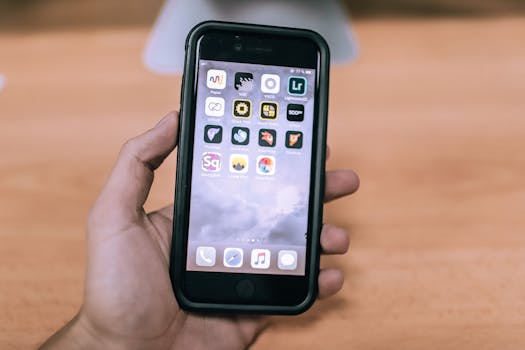
With the ever-evolving landscape of mobile technology, having the right tools at your fingertips can significantly enhance your iPhone experience. Utility apps serve a crucial role in simplifying tasks, improving productivity, and enhancing the overall user experience. In this blog post, we’ll explore the best utility apps that every iPhone should have, ensuring you maximize the capabilities of your device.
1. Password Managers: Keep Your Accounts Secure
In today’s digital age, maintaining strong and unique passwords for your various accounts is paramount. Password managers like 1Password and LastPass are essential utility apps that can help you securely store and manage your passwords. These apps not only generate strong passwords but also autofill them across your iPhone and other devices.
- 1Password: Offers a user-friendly interface, strong encryption, and additional features like secure document storage.
- LastPass: Provides a free version with essential features, making it accessible for a wide range of users.
To learn more about securing your accounts, you can refer to the Apple Support page on password management.
2. File Management: Organize Your Documents
Managing files efficiently can be a challenge on mobile devices. Utility apps like Documents by Readdle and FileApp enable users to organize, view, and manage documents seamlessly. These apps support various file formats and integrate well with cloud storage solutions.
- Documents by Readdle: Allows you to view and manage PDFs, images, and other file types while syncing with services like Dropbox and Google Drive.
- FileApp: A straightforward file manager that provides easy access to your files, even offline.
3. Note-Taking Apps: Capture Ideas on the Go
For those who often find themselves jotting down ideas, Evernote and Notability are excellent utility apps to consider. They offer versatile note-taking options, including text, voice notes, and even sketches.
- Evernote: A robust platform that allows you to organize notes into notebooks, tag them, and search through them effortlessly.
- Notability: Ideal for students and professionals, this app combines handwriting, typing, and audio recordings for a comprehensive note-taking experience.
4. VPN Services: Protect Your Online Privacy
In an era where online privacy is increasingly important, using a VPN (Virtual Private Network) is a must. Apps like NordVPN and ExpressVPN not only enhance your privacy but also allow you to access content that may be restricted in your region.
- NordVPN: Known for its high-speed servers and strong encryption, it’s a reliable choice for those who value security.
- ExpressVPN: Offers a user-friendly interface and a vast network of servers, ensuring fast and secure connections.
For more details on VPN usage and security, visit the Apple Privacy page.
5. Weather Apps: Stay Informed About Conditions
Knowing the weather can help you plan your day better. While the built-in Weather app is a great start, consider enhancing your weather experience with apps like AccuWeather and Weather Underground.
- AccuWeather: Provides minute-by-minute precipitation forecasts and extensive weather information tailored to your location.
- Weather Underground: Offers hyper-local weather data and a community-driven approach to weather reporting.
6. Calendar Apps: Stay Organized and Productive
Keeping track of your schedule is crucial for productivity. While the default Calendar app is functional, alternatives like Fantastical and Google Calendar can provide enhanced features that elevate your scheduling experience.
- Fantastical: Known for its natural language processing, it allows you to create events just by typing or speaking.
- Google Calendar: Integrates seamlessly with other Google services, making it a great choice for users deeply invested in the Google ecosystem.
7. Health and Fitness: Track Your Wellness
With the rise of health consciousness, having a great fitness tracker is essential. Apps like MyFitnessPal and Lose It! help users track their fitness goals, calorie intake, and exercise routines effectively.
- MyFitnessPal: A comprehensive nutrition and fitness tracker that allows users to log meals and workouts easily.
- Lose It!: Focuses on weight loss by helping you set goals and track your daily caloric intake.
8. QR Code Scanners: Simplify Information Sharing
With QR codes becoming increasingly popular, having a reliable QR code scanner is a must. Apps like QR Code Reader and QR Code Scanner make it easy to scan and generate QR codes on your iPhone.
- QR Code Reader: A simple and effective app that quickly scans QR codes and provides instant access to the encoded information.
- QR Code Scanner: Offers additional features like generating QR codes for your own use, making it versatile for sharing information.
9. Cloud Storage: Access Your Files Anywhere
Having access to your important files anytime, anywhere is essential. Utility apps like Dropbox and Google Drive provide excellent cloud storage solutions that integrate seamlessly with your iPhone.
- Dropbox: Offers a user-friendly interface and a variety of collaboration features for sharing files with others.
- Google Drive: Provides generous free storage and integrates well with Google Docs and Sheets, making it ideal for collaboration.
10. Task Management: Boost Your Productivity
Staying organized and on top of your tasks is vital for productivity. Apps like Todoist and Things can help you manage your to-do lists and projects effectively.
- Todoist: Features a clean interface, collaboration tools, and cross-platform support, making it perfect for team projects.
- Things: A beautifully designed app that focuses on simplicity and ease of use, ideal for personal task management.
11. Translation Apps: Break Language Barriers
Traveling or communicating with someone who speaks a different language can be challenging. Utility apps like Google Translate and iTranslate can help you communicate effectively across language barriers.
- Google Translate: Offers text, voice, and camera translation, making it a versatile tool for any traveler.
- iTranslate: Provides a user-friendly interface with additional features like voice translation and offline support.
12. Camera Apps: Enhance Your Photography Skills
While the iPhone’s native camera app is powerful, third-party apps like VSCO and Snapseed allow for more advanced editing and photo management capabilities, helping you take your photography to the next level.
- VSCO: Known for its stunning filters and editing tools, it also doubles as a social platform for photographers.
- Snapseed: A professional-grade photo editing app with a wide range of tools and filters for enhancing your images.
Frequently Asked Questions (FAQ)
What are utility apps?
Utility apps are applications designed to help users perform specific tasks, such as managing files, securing passwords, or tracking fitness. They enhance the functionality of your device and improve efficiency.
Are all utility apps free?
Many utility apps offer free versions with limited features, while premium versions provide additional functionalities. Always check the app description in the App Store for pricing details.
How do I choose the right utility apps for my iPhone?
Consider your personal needs and how you use your iPhone. Look for apps that solve specific problems or enhance tasks you frequently perform.
In conclusion, having the right utility apps on your iPhone can greatly improve your productivity, security, and overall experience. From password managers to task organizers, these tools can help you get the most out of your device. Be sure to explore the options available on the App Store and find the best utility apps that fit your lifestyle.