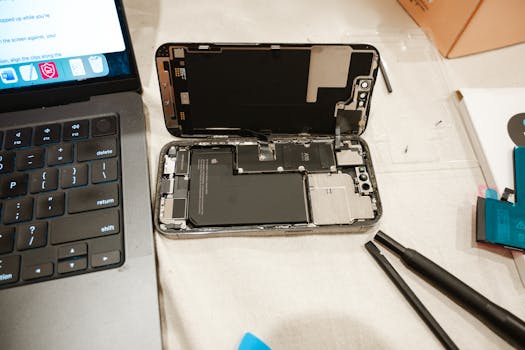
How to Check If Your iPhone Is Eligible for Free Replacement Programs
Are you concerned about potential issues with your iPhone? Apple often launches free replacement programs for certain models due to manufacturing defects or other problems. In this comprehensive guide, we will explore how to check if your iPhone is eligible for these free replacement programs, ensuring that you can get the most out of your device without unnecessary costs.
Understanding Apple’s Free Replacement Programs
Apple has been known to initiate free replacement programs for various iPhone models. These programs are typically launched when the company identifies a recurring issue that affects a specific model. Examples of such issues include battery defects, screen problems, or hardware malfunctions. When you find that your iPhone model is affected, you can take advantage of these programs to get a free repair or replacement.
Steps to Check Your iPhone’s Eligibility
To determine if your iPhone is eligible for a free replacement program, follow these steps:
1. Identify Your iPhone Model
The first step is to confirm which iPhone model you own. You can find this information in a couple of ways:
- Open the Settings app, navigate to General, and then tap on About. Here, you will see your iPhone model name.
- Alternatively, visit the Apple Support page for more guidance on identifying your model.
2. Visit Apple’s Official Replacement Programs Page
Once you know your iPhone model, visit the official Apple Support Programs page. This page lists all current free replacement programs and their eligibility criteria. Apple often updates this page to reflect the latest information, so make sure to check back frequently.
3. Check Your iPhone Serial Number
For a more personalized eligibility check, you can input your iPhone’s serial number. Here’s how:
- On the About page in Settings, locate the Serial Number.
- Go to the Apple Check Coverage page and enter your serial number. This page will provide information about your device’s warranty status and whether it is eligible for any replacement programs.
4. Review the Terms and Conditions
Each replacement program comes with specific terms and conditions. Be sure to read these carefully. Some programs may require your device to be in a certain condition or have specific software versions installed. Understanding these conditions is crucial for a successful replacement process.
Common iPhone Replacement Programs
Throughout the years, Apple has initiated various replacement programs for different iPhone models. Here are a few notable ones:
- iPhone 6s and 6s Plus Battery Replacement: Apple identified a manufacturing issue with certain batteries in these models, leading to unexpected shutdowns.
- iPhone 7 Audio IC Issue: Some iPhone 7 devices experienced problems with sound due to a component failure. Apple offered free repairs for affected devices.
- iPhone 12 and 12 Pro MagSafe Charging: Apple discovered that some iPhone 12 and 12 Pro devices had issues with MagSafe charging and initiated a replacement program.
To see if your specific model is included in any current programs, always refer to the official Apple Support page.
How to Initiate the Replacement Process
If you determine that your iPhone is eligible for a free replacement program, here’s how to proceed:
1. Contact Apple Support
Start by contacting Apple Support through their website, or by visiting an Apple Store or authorized service provider. You can schedule an appointment or chat with a representative online.
2. Prepare Your Device
Before taking your iPhone in for replacement, ensure that you back up your data. You can do this using iCloud or by connecting your device to your computer and using iTunes or Finder. Also, make sure to remove any personal accessories, such as cases or screen protectors.
3. Bring Necessary Documents
When visiting an Apple Store or authorized service provider, bring your proof of purchase if available, and have your iPhone’s serial number handy. This will help expedite the process.
Additional Tips for a Smooth Replacement Experience
- Stay Informed: Keep an eye on Apple’s announcements and your email for any updates regarding your device and the replacement program.
- Use Apple’s Support App: Download the Apple Support app for easy access to your device’s information and direct communication with support.
- Follow Up: If you don’t hear back from Apple or the service provider after your appointment, don’t hesitate to follow up to ensure your request is being processed.
Conclusion
Knowing how to check if your iPhone is eligible for free replacement programs can save you time and money. By following the steps outlined in this guide, you can easily determine your device’s status and take the necessary actions. Remember, keeping your iPhone in good working condition is essential, and Apple’s support programs are there to help you with any issues that arise.
FAQ
What should I do if my iPhone is not eligible for a replacement program?
If your iPhone is not eligible, consider visiting an Apple Store or authorized service provider for a paid repair. They can provide you with an estimate and repair options.
How long does the replacement process take?
The duration of the replacement process can vary depending on the specific issue and the availability of parts. Generally, it can take anywhere from a few days to a couple of weeks.
Can I check my iPhone eligibility online?
Yes, you can check your iPhone’s eligibility for replacement programs by visiting the Apple Support Programs page and entering your serial number.
What if my iPhone has physical damage?
Physical damage may affect your eligibility for a free replacement. Apple may require that the device be in good physical condition to qualify for a program.
Remember, staying informed and proactive can help you maintain your iPhone effectively and ensure that you take advantage of any available support from Apple.