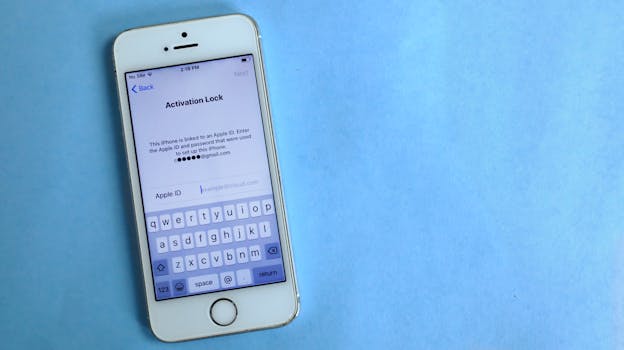
How to Lock iPhone Data If It Gets Stolen
In today’s digital age, our smartphones hold a treasure trove of personal information. For iPhone users, the thought of losing their device can be daunting, especially if it gets stolen. However, Apple has equipped its devices with robust security features to help protect your data. This guide will explore the best practices for how to lock iPhone data if it gets stolen, ensuring that your information remains safe.
Understanding the Risks of iPhone Theft
When your iPhone is stolen, the risks extend beyond just losing a physical device. Personal data such as contacts, emails, banking information, and photos can potentially fall into the wrong hands. Understanding these risks is crucial for taking the necessary steps to secure your data.
- Identity Theft: With access to your personal information, thieves can impersonate you.
- Financial Loss: If banking apps are accessible, they can result in unauthorized transactions.
- Data Breach: Sensitive information can be compromised, leading to further issues.
Steps to Lock Your iPhone Remotely
If your iPhone is lost or stolen, the first step is to act quickly. Here’s how to lock iPhone data if it gets stolen using Apple’s built-in features.
1. Use Find My iPhone
Apple’s Find My iPhone is a powerful tool that allows you to locate, lock, and erase your device remotely. Here’s how to use it:
- Log into your iCloud account at iCloud.com or use the Find My app on another Apple device.
- Select your iPhone from the list of devices.
- Click on “Lost Mode.” This will lock your device and display a custom message with a contact number.
- Once activated, all your data will remain secure, and you can track your device’s location.
2. Activate Lost Mode
Lost Mode is an essential feature that you can activate through Find My iPhone. When you enable Lost Mode:
- Your device will be locked with a passcode.
- Notifications will be disabled, and alerts will be sent to you when your device is located.
- You can display a message on the lock screen, providing a way for someone to contact you if they find it.
3. Erasing Your iPhone Remotely
If you believe you won’t recover your iPhone, it’s advisable to erase all your data remotely:
- In the Find My iPhone app, select your device and choose “Erase iPhone.”
- This action will delete all your data, including settings, apps, and personal information.
- Keep in mind that once you erase your device, you will no longer be able to track it.
Setting Up Preventive Measures
While the above steps are crucial for responding to a theft, setting up preventive measures beforehand can significantly enhance your data security. Here are several best practices to implement:
1. Enable Two-Factor Authentication
Securing your Apple ID with two-factor authentication adds an extra layer of protection. This means that even if someone has your password, they will need a second piece of information to access your account.
2. Use Strong Passwords
Ensure that your iPhone is protected with a strong passcode. Opt for a six-digit numeric passcode or, better yet, a custom alphanumeric code. This makes it significantly harder for someone to unlock your device.
3. Regular Backups
Backing up your data regularly means that even if your device is stolen and you have to erase it, you won’t lose your important information. Use iCloud or connect your iPhone to a computer to back up your data.
What to Do After Your iPhone is Stolen
If your iPhone is stolen, follow these steps:
- Report the Theft: Contact your local law enforcement and report the theft. Provide them with your device’s serial number, which can be found on the original packaging or in your Apple ID account.
- Notify Your Carrier: Inform your mobile carrier about the theft so they can disable your service, preventing unauthorized calls or data usage.
- Monitor Your Accounts: Keep an eye on your bank accounts and any other sensitive accounts for unusual activity.
Using Third-Party Apps for Additional Protection
While Apple provides robust security measures, consider using third-party apps for additional protection. Apps like Lookout or Prey Anti Theft offer features like remote tracking, alerts, and data protection beyond what’s available through Apple’s services.
Frequently Asked Questions (FAQ)
Can I track my iPhone if it’s turned off?
No, if your iPhone is turned off, it cannot be tracked. However, once it’s turned back on, you may be able to locate it using Find My iPhone.
What should I do if I find my stolen iPhone?
Do not attempt to recover it yourself. Instead, contact local law enforcement and provide them with the location and any other relevant information.
Is my data safe if I erase my iPhone remotely?
Yes, erasing your iPhone remotely will delete all your personal data, making it inaccessible to anyone who might have stolen it.
How can I prevent my iPhone from being stolen?
Keep your device in a secure place, use a strong passcode, enable two-factor authentication, and consider using tracking apps for added security.
By following these steps and leveraging Apple’s built-in features, you can effectively lock iPhone data if it gets stolen and safeguard your personal information. Remember, being proactive about your security is the best way to prevent theft and protect your valuable data.