How to Secure iPhone Against App Sideloading Risks
In the ever-evolving world of mobile technology, the security of our devices has become paramount. With the increasing trend of app sideloading, it’s crucial for iPhone users to understand the associated risks and how to mitigate them. This guide will provide comprehensive insights on how to secure your iPhone against the potential dangers of app sideloading.
Understanding App Sideloading
App sideloading refers to the process of installing applications on a device without going through the official App Store. While this method can provide access to a broader range of apps, it also exposes users to various security vulnerabilities, including malware and compromised data. Apple’s strict app review process is designed to ensure that apps available on the App Store are safe and reliable, making sideloading a risky endeavor.
The Risks Associated with App Sideloading
When users opt for sideloading, they often disregard the potential dangers that come with it. Here are some of the most significant risks:
- Malware Infections: Sideloaded apps may contain malicious code that can compromise personal data.
- Data Breaches: Unauthorized apps can access sensitive information, leading to data theft.
- Device Instability: Incompatible or poorly coded apps can disrupt system stability and performance.
- Lack of Updates: Sideloaded apps may not receive regular updates, leaving them vulnerable to exploits.
How to Secure Your iPhone Against Sideloading Risks
To protect your iPhone from the risks associated with app sideloading, consider implementing the following strategies:
1. Stick to the App Store
The most effective way to avoid the risks of sideloading is to exclusively download apps from the official App Store. Apple’s rigorous vetting process ensures that only safe and secure applications are available for download.
2. Enable App Verification
iOS devices are equipped with built-in security features that help verify app integrity. Ensure that you have enabled these features by navigating to Settings > General > Device Management. Only trust apps that come from recognized developers.
3. Use Strong Passwords and Two-Factor Authentication
Strengthening your Apple ID with a strong password and enabling two-factor authentication can significantly reduce the risk of unauthorized access. This step ensures that even if someone attempts to sideload an app, they cannot easily gain access to your account.
4. Keep iOS Updated
Regularly updating your iPhone’s iOS version is essential for security. Apple frequently releases updates that patch vulnerabilities and improve security features. To check for updates, go to Settings > General > Software Update.
5. Avoid Jailbreaking Your iPhone
Jailbreaking allows users to bypass Apple’s restrictions and install unauthorized apps. While it may seem appealing for customization, jailbreaking significantly increases the risk of malware and other security threats. It’s advisable to keep your device in its original state to maintain optimal security.
6. Monitor App Permissions
Regularly review the permissions granted to your apps to ensure that they do not have unnecessary access to your personal information. Navigate to Settings > Privacy to manage permissions for location, contacts, photos, and more. Limit access to apps that do not require it for their functionality.
7. Install a Trusted Security App
If you’re concerned about potential threats from sideloaded apps, consider installing a reputable security application. These apps can help detect malware and provide real-time protection against threats. Look for security apps with positive reviews and a history of reliability.
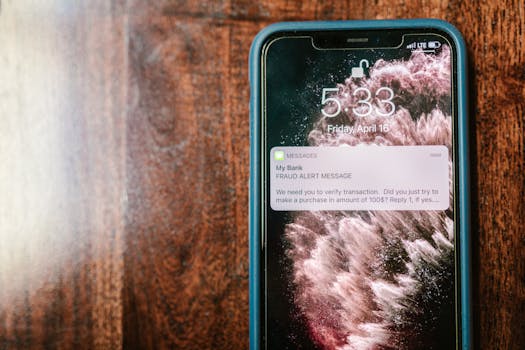
8. Educate Yourself on Phishing Scams
Many sideloading risks come from phishing scams that trick users into downloading malicious software. Learn to recognize suspicious emails, links, and messages that may lead to unsafe downloads. Always verify the source before downloading any app or software.
Understanding Apple’s Security Measures
Apple implements several security measures to protect users from the risks of sideloading. According to Apple’s official iOS Security Guide, features such as Sandboxing, Data Protection, and App Transport Security work together to create a secure environment for app usage. Familiarizing yourself with these features can help you better understand how to protect your device.
Best Practices for App Installation
When it comes to installing apps, adhering to best practices can further enhance your iPhone’s security. Here are some recommendations:
- Research Apps: Before downloading any app, read reviews and check the developer’s credentials.
- Check for SSL Certificates: Ensure that any website you visit for app downloads uses HTTPS, indicating a secure connection.
- Use a VPN: A Virtual Private Network can add an extra layer of security, especially when connecting to public Wi-Fi networks.
Conclusion
While the allure of sideloading apps can be tempting, the potential risks far outweigh the benefits. By following the aforementioned strategies and staying informed about the latest security practices, you can significantly reduce the risks associated with app sideloading. Remember, maintaining the security of your iPhone is an ongoing process that requires vigilance and proactive measures.
FAQ
What is app sideloading?
App sideloading is the process of installing applications on a device without using the official app store, which can expose users to security risks.
Is sideloading safe on iPhone?
Generally, sideloading is not considered safe on iPhone due to the potential for malware and data breaches. It’s best to download apps from the official App Store.
How can I protect my iPhone from malware?
To protect your iPhone from malware, avoid sideloading apps, keep your iOS updated, use strong passwords, and regularly review app permissions.
What should I do if I suspect an app is malicious?
If you suspect that an app is malicious, immediately uninstall it and consider resetting your device to remove any potential threats.
By understanding the risks of app sideloading and implementing these protective measures, you can enjoy a safer iPhone experience.