- 1. Understanding Zero Day Vulnerabilities
- 2. Stay Updated with iOS Software
- 3. Enable Two-Factor Authentication
- 4. Use Strong, Unique Passwords
- 5. Be Cautious with App Permissions
- 6. Install Apps from Trusted Sources Only
- 7. Utilize VPNs for Enhanced Security
- 8. Regularly Back Up Your Data
- 9. Monitor for Unauthorized Activity
- 10. Stay Informed About Security Trends
- 11. Final Thoughts on Securing Your iPhone
- 12. FAQ: Securing iPhone Against Zero Day Vulnerabilities
How to Secure iPhone Against Zero Day Vulnerabilities
In today’s digital landscape, securing your iPhone against zero day vulnerabilities is more critical than ever. These vulnerabilities are unknown to the software vendor, making them particularly dangerous. In this blog post, we’ll explore effective strategies to safeguard your device and personal information from these unseen threats.
Understanding Zero Day Vulnerabilities
Before diving into security measures, it’s essential to understand what zero day vulnerabilities are. These are security flaws in software that hackers exploit before the vendor has released a fix. The term “zero day” refers to the fact that the vendor has had zero days to address the issue. For iPhone users, this can mean a significant risk if a vulnerability is discovered and exploited.
Stay Updated with iOS Software
One of the most effective ways to protect your iPhone is to ensure that you are running the latest version of iOS. Apple regularly releases updates that patch known vulnerabilities, including zero-day exploits. Here’s how to keep your device updated:
- Go to Settings > General > Software Update.
- If an update is available, tap Download and Install.
- You can enable Automatic Updates to ensure you always have the latest security patches.
For more information about iOS updates, visit the official Apple Support page.
Enable Two-Factor Authentication
Two-factor authentication (2FA) adds an extra layer of security to your Apple ID, making it significantly harder for attackers to gain access to your personal information. Here’s how to set it up:
- Go to Settings > [Your Name] > Password & Security.
- Tap on Two-Factor Authentication and follow the prompts to enable it.
By requiring a second form of verification, such as a text message or an authentication app, you can protect your account even if your password is compromised.
Use Strong, Unique Passwords
Using strong and unique passwords is crucial for protecting your accounts from unauthorized access. Always create passwords that are:
- At least 12 characters long
- Include a mix of uppercase letters, lowercase letters, numbers, and special characters
- Not easily guessable (avoid birthdays, names, etc.)
Consider using a password manager to generate and store complex passwords securely. This will help you manage your credentials without the hassle of remembering them all. Popular options include 1Password and LastPass.
Be Cautious with App Permissions
When downloading apps, be mindful of the permissions they request. Some apps may ask for access to your camera, microphone, or location, which may not be necessary for their functionality. To review and manage your app permissions:
- Go to Settings > Privacy & Security.
- Select the category (e.g., Location Services, Camera) to review which apps have access.
- Disable permissions that seem excessive for the app’s purpose.
By controlling app permissions, you can limit the potential for exploitation through malicious apps.
Install Apps from Trusted Sources Only
To minimize the risk of encountering a zero-day vulnerability, always download apps from the official App Store. Apple has strict guidelines and a vetting process for apps, which helps ensure their safety. Avoid installing apps from third-party sources, as they may contain malicious code.
If you need to install apps outside the App Store, consider whether you truly trust the source, and always research the app before installation.
Utilize VPNs for Enhanced Security
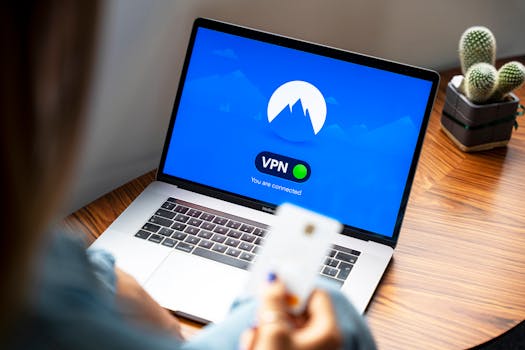
Using a Virtual Private Network (VPN) can protect your internet connection and keep your data secure, especially when using public Wi-Fi networks. A VPN encrypts your data and hides your IP address, making it much harder for attackers to intercept your information.
When choosing a VPN, opt for reputable providers with strong privacy policies. Some popular options include ExpressVPN and NordVPN.
Regularly Back Up Your Data
While this may not directly prevent zero-day vulnerabilities, regularly backing up your data is crucial. In the event of a security breach or malware attack, having a backup allows you to restore your device to a previous state without losing important information.
You can back up your iPhone using:
- iCloud: Go to Settings > [Your Name] > iCloud > iCloud Backup and tap Back Up Now.
- iTunes/Finder: Connect your iPhone to your computer and use iTunes or Finder to create a backup.
Monitor for Unauthorized Activity
Regularly monitor your iPhone for any signs of unauthorized activity. This includes unusual app behavior, unexpected battery drain, or unfamiliar apps appearing on your device. If you notice anything suspicious, take immediate action by:
- Changing your passwords
- Reinstalling affected apps
- Contacting Apple Support for help
Stay Informed About Security Trends
Keeping up with the latest news in cybersecurity can help you stay informed about new threats and vulnerabilities. Follow trusted tech blogs, official Apple announcements, and cybersecurity news sites. Being aware of emerging threats will enable you to take proactive measures to secure your device.
Final Thoughts on Securing Your iPhone
While you cannot completely eliminate the risk of zero day vulnerabilities, following these best practices can significantly reduce your exposure. Staying updated, using strong security measures, and being cautious with app installations and permissions are vital steps in protecting your iPhone against potential threats.
FAQ: Securing iPhone Against Zero Day Vulnerabilities
Q: What is a zero day vulnerability?
A: A zero day vulnerability is a security flaw in software that is unknown to the vendor and has not yet been patched, making it a significant risk for users.
Q: How often should I update my iPhone?
A: You should update your iPhone as soon as new iOS updates are available. Enabling automatic updates helps ensure you always have the latest security patches.
Q: Can I trust apps from the App Store?
A: Yes, apps from the official App Store undergo a vetting process by Apple, making them generally safer than apps from third-party sources.
Q: What should I do if I suspect my iPhone is compromised?
A: Change your passwords immediately, back up your data, and consider restoring your device. Contact Apple Support for further assistance.
By following these strategies, you can significantly enhance your iPhone’s security against zero-day vulnerabilities and protect your personal data effectively.