- 1. Understanding the Risks of Online Payments
- 2. Utilize Trusted Shopping Apps
- 3. Enable Two-Factor Authentication
- 4. Use Apple Pay for Enhanced Security
- 5. Keep Your iPhone Updated
- 6. Be Cautious with Public Wi-Fi
- 7. Monitor Your Accounts Regularly
- 8. Educate Yourself About Scams
- 9. Implement Strong Password Practices
- 10. FAQ
How to Secure Online Payments on iPhone Shopping Apps
In today’s fast-paced digital world, online shopping has become a part of our daily routine. With the convenience of shopping apps on our iPhones, it’s easy to make purchases on the go. However, as the volume of online transactions increases, so does the risk of fraud. This makes it crucial to know how to secure online payments on iPhone shopping apps. In this comprehensive guide, we will explore effective strategies and best practices to safeguard your financial information while shopping on your iPhone.
Understanding the Risks of Online Payments
Before diving into security measures, it’s important to understand the potential risks associated with online payments. Cybercriminals constantly seek opportunities to exploit vulnerabilities in online shopping platforms. Some common threats include:
- Phishing Attacks: Fraudsters may send fake emails or create fake websites to steal your personal and financial information.
- Malware: Malicious software can be installed on your device, allowing hackers to access sensitive data.
- Data Breaches: Shopping apps may have vulnerabilities that lead to unauthorized access to customer data.
- Unsecure Wi-Fi Networks: Public Wi-Fi can expose your transactions to hackers if not properly secured.
Utilize Trusted Shopping Apps
When it comes to securing online payments, one of the first steps is to choose reputable shopping apps. Stick to well-known platforms that have a proven track record of protecting customer data. Some features to look for include:
- Secure Payment Gateways: Ensure the app uses secure payment processing systems like PayPal, Stripe, or Apple Pay.
- Encryption: Check if the app uses encryption technology (like SSL) to protect your data during transactions.
- User Reviews: Read reviews and ratings to gauge other users’ experiences regarding security.
For a list of trusted shopping apps, visit the Apple App Store, where you can find apps that prioritize user security.
Enable Two-Factor Authentication
Two-factor authentication (2FA) adds an extra layer of security to your online accounts. When enabled, you will need to provide a second form of verification, typically a code sent to your phone or an authentication app. To enable 2FA on your Apple ID, follow these steps:
- Go to Settings on your iPhone.
- Tap on your name at the top, and then select Password & Security.
- Tap on Two-Factor Authentication and follow the prompts to set it up.
By activating 2FA, you significantly reduce the risk of unauthorized access to your accounts, ensuring that your online payments remain secure.
Use Apple Pay for Enhanced Security
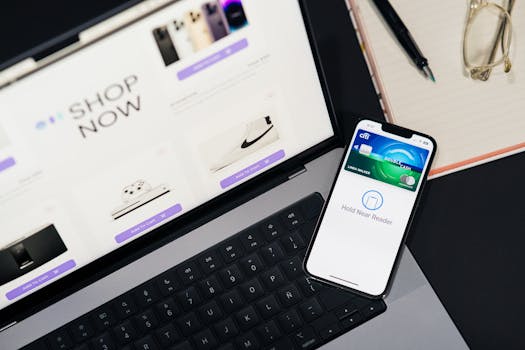
Apple Pay is a powerful tool designed to enhance the security of your transactions. It leverages several security features, making it a great option for shopping online. Here are some of the benefits of using Apple Pay:
- Tokenization: When you make a purchase, Apple Pay generates a unique token for the transaction, which means your actual card details are never shared with the merchant.
- Biometric Authentication: Apple Pay requires Face ID or Touch ID for transactions, ensuring that only you can authorize payments.
- Privacy Protection: Apple does not track your purchases, adding an extra layer of privacy.
To set up Apple Pay, navigate to Settings > Wallet & Apple Pay and follow the prompts to add your credit or debit card.
Keep Your iPhone Updated
Regularly updating your iPhone is essential for maintaining security. Apple frequently releases updates that fix security vulnerabilities and improve device performance. To ensure your iPhone is up-to-date:
- Go to Settings > General > Software Update.
- If an update is available, tap Download and Install.
By keeping your iPhone updated, you ensure that you have the latest security patches and features, thereby enhancing the safety of your online payments.
Be Cautious with Public Wi-Fi
While it’s convenient to shop online using public Wi-Fi, it can pose significant risks. Public networks are often less secure, making it easier for hackers to intercept your data. Here are some tips for using public Wi-Fi safely:
- Avoid Sensitive Transactions: If possible, refrain from making purchases or accessing sensitive accounts when on public networks.
- Use a VPN: A Virtual Private Network encrypts your internet connection, protecting your data from prying eyes.
- Forget Public Networks: Once you’re done using a public Wi-Fi network, forget it from your device settings to prevent automatic reconnection.
Monitor Your Accounts Regularly
Another important step in securing online payments is to regularly monitor your bank and credit card statements. Look for any unauthorized transactions and report them immediately. Setting up transaction alerts can help you stay informed about any activity on your accounts.
Additionally, using a service that provides credit monitoring can further protect you from identity theft. Some trusted services include Credit Karma and Experian.
Educate Yourself About Scams
Staying informed about current scams can significantly reduce your risk of falling victim to fraud. Cybercriminals often change their tactics, so keeping up with the latest trends can help you identify potential threats. Resources like the Federal Trade Commission (FTC) provide valuable information about common scams and how to avoid them.
Implement Strong Password Practices
Strong passwords are a cornerstone of online security. Here are some best practices to follow when creating passwords for your shopping apps:
- Use Unique Passwords: Avoid reusing passwords across different apps and websites.
- Mix Characters: Include a combination of uppercase and lowercase letters, numbers, and special characters.
- Use a Password Manager: Consider using a password manager to store your passwords securely and generate strong ones.
By following these practices, you can enhance the security of your online accounts and protect your financial information.
FAQ
What should I do if I suspect fraud on my shopping app?
If you suspect fraud, immediately contact your bank or credit card company to report the issue. Change your passwords for the affected accounts and monitor your financial statements for unauthorized transactions.
Is it safe to enter my credit card information in shopping apps?
Yes, as long as the app is reputable and uses secure payment processing systems. Always look for signs of security, such as SSL encryption and two-factor authentication.
How can I ensure my iPhone is secure for online shopping?
Keep your iPhone updated, use strong passwords, enable two-factor authentication, and utilize secure payment methods like Apple Pay to enhance your security while shopping online.
In conclusion, shopping on your iPhone can be a secure and convenient experience if you take the necessary precautions. By following the strategies outlined in this guide, you can protect your financial information and enjoy a worry-free shopping experience. Always stay informed and vigilant to ensure your online payments remain secure.