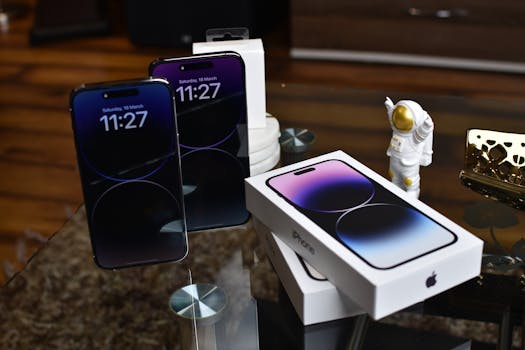
How to Use iPhone as a Business Phone Securely
In today’s fast-paced world, many professionals rely on their smartphones for business communications. The iPhone, with its robust features and user-friendly interface, is an excellent choice for handling business calls, emails, and more. However, security is a primary concern when using your iPhone for business purposes. In this blog post, we’ll explore how to use your iPhone as a business phone securely, ensuring your sensitive information remains protected.
Understanding iPhone Security Features
The iPhone comes equipped with various built-in security features that help safeguard your data. Here’s a rundown of some essential security features:
- Face ID and Touch ID: These biometric authentication methods provide an added layer of security, making it difficult for unauthorized users to access your device.
- Encryption: Apple employs end-to-end encryption for many services, ensuring that only you can access your sensitive information.
- Regular Updates: Apple frequently releases software updates that include security enhancements. Keeping your iPhone updated is crucial for maintaining its security.
Setting Up Your iPhone for Business Use
When using your iPhone as a business phone, it’s essential to configure it properly to maximize security. Here are some steps to ensure your device is business-ready:
1. Create a Separate Apple ID for Business
Consider creating a dedicated Apple ID for business use. This separation can help keep your personal and professional data distinct, reducing the risk of accidental data sharing. You can create a new Apple ID by visiting the Apple ID account page.
2. Enable Two-Factor Authentication
Two-factor authentication (2FA) adds an extra layer of security to your Apple ID. It requires not just a password but also a second form of verification, such as a code sent to your trusted device. To enable 2FA:
- Go to Settings.
- Tap on your name at the top.
- Select Password & Security.
- Tap Two-Factor Authentication and follow the prompts.
3. Utilize Business-Grade Security Apps
There are various security applications available that can significantly enhance the security of your iPhone. Some popular choices include:
- LastPass or 1Password for password management.
- Lookout for mobile security and anti-theft protection.
- VPN services like NordVPN or ExpressVPN for secure internet browsing.
Secure Communication Practices
When using your iPhone for business communications, it’s essential to adopt secure practices:
1. Use Encrypted Messaging Apps
While iMessage is secure, consider using additional encrypted messaging applications like Signal or WhatsApp for sensitive conversations. These apps use end-to-end encryption to keep your messages private.
2. Secure Your Email
For business emails, use services that offer enhanced security features. Platforms like ProtonMail and Microsoft Outlook have built-in encryption options. Always be cautious of phishing attempts and only open emails from trusted sources.
Managing Sensitive Data on Your iPhone
Your iPhone is likely to store sensitive business data, making it vital to manage this information securely:
1. Use Secure Cloud Storage
Instead of storing sensitive files directly on your device, consider using secure cloud storage solutions like iCloud Drive, Google Drive, or Dropbox. Ensure these services have strong encryption and security protocols in place.
2. Regularly Backup Your Data
Backing up your data is essential for recovery in case your device is lost or stolen. You can back up your iPhone using iCloud or iTunes. To back up with iCloud:
- Go to Settings.
- Tap on your name, then iCloud.
- Choose iCloud Backup and toggle it on.
- Tap Back Up Now to start the backup process.
Physical Security Measures
In addition to digital security, physical security plays a crucial role in keeping your iPhone secure:
1. Use a Strong Passcode
Set a strong passcode for your iPhone to prevent unauthorized access. Avoid using easily guessable codes such as birthdays or sequences. To set or change your passcode:
- Go to Settings.
- Select Face ID & Passcode or Touch ID & Passcode.
- Tap Change Passcode and follow the prompts.
2. Enable Find My iPhone
This feature allows you to locate your device if it’s lost or stolen. To enable it:
- Go to Settings.
- Tap on your name, then select Find My.
- Turn on Find My iPhone.
- Enable Send Last Location for added security.
Stay Informed and Updated
Being aware of the latest security threats and updates is vital for maintaining your iPhone’s security. Follow reliable tech news sources and regularly check Apple’s security updates page for information on recent vulnerabilities and patches.
Conclusion: Make Security a Priority
Using your iPhone as a business phone can be both efficient and secure when you implement the right practices. By leveraging the built-in security features, utilizing secure communication methods, and staying informed about potential threats, you can protect your sensitive business information. Make security a priority and ensure your iPhone serves as a reliable tool for your professional needs.
FAQ Section
1. How can I tell if my iPhone is secure?
You can check your iPhone’s security by ensuring that features like Face ID/Touch ID, two-factor authentication, and Find My iPhone are enabled. Regularly check for software updates as well.
2. What should I do if I lose my iPhone?
If you lose your iPhone, use the Find My iPhone feature to locate it. If you cannot retrieve it, you can remotely erase your device to protect your data.
3. Is it safe to use public Wi-Fi for business communications?
Using public Wi-Fi can be risky. If you need to connect, consider using a VPN to encrypt your internet connection and protect your data.
4. How often should I back up my iPhone?
It’s advisable to back up your iPhone at least once a week or before making significant changes to your device, such as updating the operating system or installing new apps.
By following these guidelines, you can confidently use your iPhone as a business phone without compromising your data security.