- 1. Myth 1: iPhones Are Immune to Viruses and Malware
- 2. Myth 2: Jailbreaking Makes My iPhone More Secure
- 3. Myth 3: Using a Password is Enough
- 4. Myth 4: Public Wi-Fi Is Safe if You Use a VPN
- 5. Myth 5: iCloud Backups Are Not Secure
- 6. Myth 6: All Apps on the App Store Are Safe
- 7. Myth 7: You Don’t Need to Worry About App Permissions
- 8. Myth 8: My iPhone is Safe as Long as I Don’t Share Personal Information
- 9. Myth 9: iPhones Don’t Need Antivirus Software
- 10. Myth 10: Security Updates Can Wait
- 11. Frequently Asked Questions
iPhone Security Myths Most Users Still Believe
In a world where smartphones are an integral part of our daily lives, ensuring the security of our devices is paramount. With the iPhone being one of the most popular smartphones globally, it’s essential to address the common misconceptions surrounding its security features. In this blog post, we will debunk several **iPhone security myths** that many users still believe, helping you protect your device and personal information effectively.
Myth 1: iPhones Are Immune to Viruses and Malware
One of the most pervasive myths is that iPhones are completely immune to viruses and malware. While it’s true that Apple’s iOS has a more controlled environment compared to Android, this doesn’t mean iPhones are invulnerable. As noted on the Apple Support page, although iOS is designed with security in mind, vulnerabilities can still exist. Cybercriminals are continually developing new techniques to exploit these vulnerabilities.
- Use reputable apps: Always download apps from the official App Store.
- Keep your iOS updated: Regular updates patch known vulnerabilities.
- Be cautious with links: Phishing attacks can target iPhone users just like any other platform.
Myth 2: Jailbreaking Makes My iPhone More Secure
Another common belief is that jailbreaking an iPhone can enhance its security. In reality, jailbreaking removes the built-in security measures designed by Apple, exposing the device to a myriad of threats. According to Apple’s documentation, jailbroken devices are more susceptible to malware, unauthorized access, and data breaches.
- Loss of warranty: Jailbreaking voids your warranty, leaving you without support.
- Unapproved apps: Many jailbreak tweaks come from unverified sources, increasing risk.
- Difficulty in updates: Jailbroken devices often struggle to receive official iOS updates.
Myth 3: Using a Password is Enough
Many users believe that simply using a password to unlock their iPhone is sufficient for security. While a strong password is important, it’s not the only protective measure you should take. Apple recommends using two-factor authentication (2FA) to add an extra layer of security. This feature requires both your password and a second piece of information, which significantly reduces the risk of unauthorized access.
- Enable 2FA: This can be easily activated in your iCloud settings.
- Use Face ID or Touch ID: Biometrics provide a convenient and secure way to unlock your device.
- Regularly change your password: This helps to prevent unauthorized access over time.
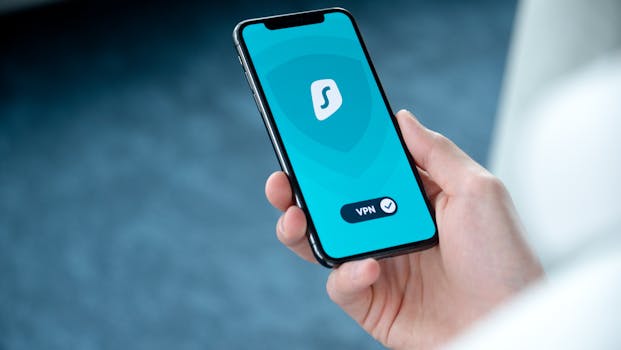
Myth 4: Public Wi-Fi Is Safe if You Use a VPN
While using a Virtual Private Network (VPN) can help secure your connection on public Wi-Fi, it does not make it completely safe. Many users mistakenly believe that a VPN will protect all their activities. However, a VPN primarily encrypts your internet traffic, but it does not safeguard against other threats such as malware or phishing.
- Choose reputable VPNs: Not all VPN services are created equal; some might compromise your data.
- Use HTTPS: Always check for HTTPS in the URL to ensure secure connections to websites.
- Be cautious of what you access: Avoid sensitive transactions on public Wi-Fi, even with a VPN.
Myth 5: iCloud Backups Are Not Secure
Many users express concern about the security of their data stored in iCloud, believing it’s not safe from hackers. However, Apple employs strong encryption methods to secure data in transit and at rest. According to Apple’s iCloud security page, data stored in iCloud is encrypted with AES 128-bit encryption, making it highly secure.
- Enable iCloud Keychain: This feature securely stores your passwords and other sensitive information.
- Use two-factor authentication: As mentioned previously, this adds an additional layer of security.
- Understand data recovery: Familiarize yourself with how to recover your data from iCloud in case of loss.
Myth 6: All Apps on the App Store Are Safe
While Apple’s App Store has strict guidelines and a review process, not all apps are guaranteed to be safe. Some malicious apps can slip through the cracks, and users should remain vigilant. Always check app reviews and the developer’s background before downloading any app.
- Research before download: Look for apps with positive reviews and a solid development history.
- Read permissions: Pay attention to the permissions an app requests during installation.
- Report suspicious apps: If you encounter a harmful app, report it to Apple.
Myth 7: You Don’t Need to Worry About App Permissions
Many iPhone users ignore app permissions, assuming that granting access to their contacts, photos, or location is harmless. In reality, app permissions can significantly impact your privacy and security. Always be cautious about which permissions you grant.
- Review app permissions regularly: Go to Settings > Privacy to see which apps have access to specific data.
- Limit access: Only grant permissions that are absolutely necessary for the app to function.
- Revoke permissions: If you no longer use an app, consider revoking its permissions.
Myth 8: My iPhone is Safe as Long as I Don’t Share Personal Information
While being cautious about sharing personal information online is essential, it is not the only factor in maintaining your **iPhone security**. Other actions, such as using public Wi-Fi, downloading unverified apps, or neglecting software updates, can also compromise your security regardless of your sharing habits.
- Be aware of phishing scams: Always verify the source before clicking on links or sharing information.
- Educate yourself: Stay informed about common security threats and how to avoid them.
- Regular security audits: Periodically check your device for unusual activity or unauthorized access.
Myth 9: iPhones Don’t Need Antivirus Software
Many users believe that antivirus software is unnecessary for their iPhones. While iOS’s design and Apple’s security measures reduce the need for antivirus, it doesn’t mean you should dismiss the idea entirely. Some users may benefit from additional security apps, especially those that provide features like web protection and anti-phishing tools.
- Consider reputable security apps: Some apps offer added features for enhanced protection.
- Stay informed: Keep abreast of the latest security threats and trends.
- Practice safe browsing: Be cautious when clicking on unknown links or visiting suspicious websites.
Myth 10: Security Updates Can Wait
Procrastinating on software updates is a common mistake among iPhone users. Many believe that as long as their device is functioning well, updates can wait. However, software updates often include critical security patches that protect your device from known vulnerabilities. According to Apple’s support resources, keeping your device updated is one of the best ways to ensure its security.
- Enable automatic updates: This ensures your device always has the latest security features.
- Check for updates regularly: If you don’t enable automatic updates, make it a habit to check manually.
- Read update notes: Understanding what each update addresses can help you gauge its importance.
Frequently Asked Questions
1. Are iPhones completely secure?
While iPhones have robust security measures in place, no device is entirely immune to threats. Users should take proactive steps to enhance their security.
2. Should I use a VPN when using public Wi-Fi?
Using a VPN can enhance your security on public Wi-Fi, but it doesn’t make it completely safe. Always exercise caution when accessing sensitive information on public networks.
3. Is jailbreaking my iPhone worth the risk?
Jailbreaking exposes your iPhone to more security threats and voids your warranty. It’s generally not recommended unless you fully understand the risks involved.
4. How can I improve my iPhone’s security?
To enhance your iPhone’s security, use a strong password, enable two-factor authentication, keep your iOS updated, and be cautious about the apps you download and the permissions you grant.
By debunking these **iPhone security myths**, users can better understand how to protect their devices and personal data. Armed with the right knowledge, you’ll be able to make informed decisions about your iPhone’s security and enjoy a safer mobile experience.