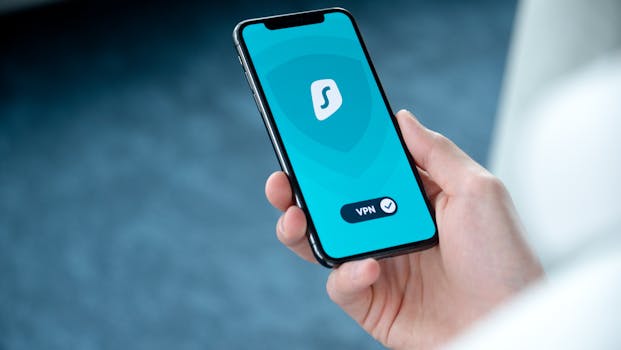
Is Using a VPN on iPhone Safe? Pros and Cons Explained
In today’s digital age, maintaining privacy and security online is more important than ever. One common solution for enhancing online security is the use of a Virtual Private Network (VPN). If you’re an iPhone user, you might be wondering, is using a VPN on iPhone safe? This blog post delves into the pros and cons of using a VPN on your iOS device, helping you make an informed decision.
What is a VPN?
A Virtual Private Network (VPN) is a service that creates a secure connection over the internet between your device and a remote server, encrypting your data in the process. This technology can mask your IP address, providing anonymity while you browse the web. For iPhone users, VPNs can be particularly useful in various scenarios, from ensuring privacy on public Wi-Fi networks to bypassing geo-restrictions on streaming services.
How Does a VPN Work on iPhone?
When you activate a VPN on your iPhone, your internet traffic is routed through a secure server. This process involves:
- Encryption: Your data is encrypted, making it difficult for third parties to access your information.
- IP Address Masking: Your real IP address is hidden, and a new IP address from the VPN server is assigned.
- Secure Tunneling: A secure “tunnel” is created for your data, protecting it from potential eavesdroppers.
Pros of Using a VPN on iPhone
1. Enhanced Privacy and Security
One of the main advantages of using a VPN on your iPhone is the enhanced privacy and security it offers. By encrypting your internet connection, a VPN protects sensitive information such as passwords and credit card numbers from hackers, especially on public Wi-Fi networks.
2. Bypassing Geo-Restrictions
If you want to access content that is not available in your region, a VPN can help. By connecting to a server in a different country, you can bypass geo-restrictions on streaming services such as Netflix, Hulu, or BBC iPlayer. This feature allows you to enjoy a broader range of content.
3. Avoiding Bandwidth Throttling
Some Internet Service Providers (ISPs) throttle bandwidth for specific services, especially during peak usage times. A VPN can help you avoid this throttling by masking your traffic, ensuring a smoother browsing experience.
4. Safe Browsing on Public Wi-Fi
Public Wi-Fi networks are notoriously insecure, making it easy for cybercriminals to intercept your data. Using a VPN on your iPhone while connected to public Wi-Fi adds a layer of protection, keeping your information safer.
5. Access to Remote Work Resources
For those working remotely, a VPN allows secure access to company resources and databases. This is particularly important in today’s work environment, where many employees work from home or while traveling.
Cons of Using a VPN on iPhone
1. Slower Internet Speeds
One potential downside of using a VPN is that it can slow down your internet speed. The encryption process and the distance to the VPN server can result in increased latency. However, the extent of this slowdown often depends on the quality of the VPN service you choose.
2. Cost Considerations
While there are free VPN options available, they often come with limitations such as data caps, slower speeds, and less reliable security. Paid VPN services typically offer better performance and features, but they come with a subscription cost that may not be ideal for everyone.
3. Trust Issues with VPN Providers
Not all VPN providers are created equal. Some may log your data or have questionable privacy policies. It’s crucial to choose a reputable VPN service with a clear privacy policy to ensure your data remains secure. Researching reviews and checking for independent audits can help in this regard.
4. Compatibility with iOS Apps
While most VPNs work seamlessly with iOS, certain apps or websites might block VPN traffic. This could hinder your ability to access specific services while connected to a VPN, which can be frustrating for users who rely on those services.
5. Legal and Policy Implications
In some countries, using a VPN may be illegal or restricted. Ensure that you are aware of the laws regarding VPN usage in your region to avoid potential legal issues.
How to Choose the Right VPN for Your iPhone
When looking for the best VPN for your iPhone, consider the following factors:
- Security Features: Look for strong encryption standards, a no-logs policy, and additional security features like a kill switch.
- Server Locations: A larger number of server locations can help you access more content and improve connection speeds.
- Performance: Opt for a VPN known for fast speeds and reliable connections.
- Compatibility: Ensure that the VPN is compatible with other devices if you plan to use it beyond your iPhone.
- Customer Support: Good customer support can be invaluable if you encounter issues or need assistance setting up the VPN.
Setting Up a VPN on Your iPhone
Setting up a VPN on your iPhone is a straightforward process. Here’s how you can do it:
- Choose a reputable VPN provider and sign up for their service.
- Download and install the VPN app from the App Store.
- Open the app and log in with your credentials.
- Select a server location and connect.
- Once connected, your VPN will encrypt your internet traffic.
For additional setup instructions, refer to Apple’s official documentation on using VPN on iOS.
Conclusion
Using a VPN on your iPhone can significantly enhance your online security and privacy, but it’s not without its drawbacks. Understanding the pros and cons of using a VPN on iPhone can help you make an informed choice. If you prioritize security while browsing on public Wi-Fi or want to access geo-restricted content, investing in a reliable VPN service can be well worth it. Always ensure you choose a reputable provider to avoid potential pitfalls.
Frequently Asked Questions
1. Is it legal to use a VPN on my iPhone?
In most countries, using a VPN is legal. However, some countries have restrictions or regulations regarding VPN use. Always check local laws before using a VPN.
2. Can I use a free VPN on my iPhone?
While there are free VPNs available, they may come with limitations such as data caps, slower speeds, and potential privacy issues. It’s often better to invest in a reputable paid VPN service.
3. Will a VPN protect me from malware?
A VPN primarily provides privacy and security by encrypting your data. However, it does not protect against malware. Consider using additional security software for comprehensive protection.
4. Can I use a VPN for streaming on my iPhone?
Yes, using a VPN can allow you to bypass geo-restrictions on streaming services. Just ensure the VPN you choose is compatible with the streaming service you want to access.
5. How do I know if my VPN is working?
You can check if your VPN is working by verifying your IP address before and after connecting to the VPN. If your IP address changes to that of the VPN server, it indicates that the VPN is functioning correctly.