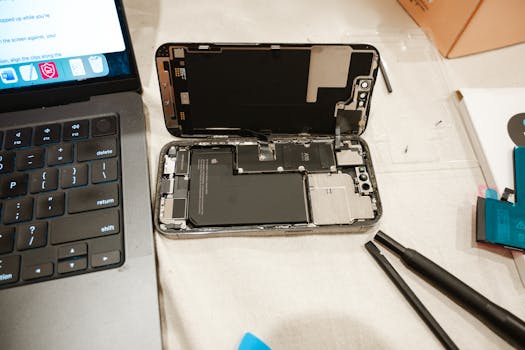
Understanding Why iPhone Battery Percentage Drops Suddenly
The iPhone has become an indispensable part of our daily lives, providing essential communication, entertainment, and productivity tools. However, one common frustration many users encounter is the iPhone battery percentage drops suddenly. This issue can be perplexing and inconvenient, especially when you’re relying on your device for important tasks. In this post, we’ll explore the various reasons behind these unexpected battery drains and share practical solutions to mitigate them.
The Basics of iPhone Battery Health
Before delving into the reasons behind sudden battery drops, it’s crucial to understand the basics of iPhone battery health. Apple introduced the Battery Health feature in iOS 11.3, allowing users to monitor their battery’s capacity and performance. To check your battery health:
- Go to Settings.
- Select Battery.
- Tap on Battery Health.
This feature provides insights into the maximum capacity of your battery compared to when it was new and whether your battery is functioning as expected. A battery health percentage below 80% indicates that your battery may need replacement, as it could be contributing to the sudden drops in battery percentage.
Common Reasons for Sudden Battery Drops
1. Background App Activity
Many apps continue to run in the background even when you’re not actively using them. This background activity can lead to unexpected battery usage. Apps like social media, streaming services, and location-based services can significantly impact battery life.
To manage background app activity:
- Go to Settings > General > Background App Refresh.
- Select Wi-Fi or Wi-Fi & Cellular Data to limit background activity.
- Alternatively, you can disable it altogether for specific apps.
2. Location Services
Using location services can drain your battery quickly, especially if multiple apps are accessing your location frequently. iOS allows you to customize location settings for each app.
To adjust your location settings:
- Navigate to Settings > Privacy > Location Services.
- Here, you can choose to set apps to Never, While Using the App, or Always.
Limiting location access can help reduce the sudden drops in battery percentage.
3. Software Glitches and Updates
Occasionally, software glitches can cause erratic battery behavior. Bugs in the iOS system may lead to incorrect battery percentage readings or rapid battery drain. Keeping your iPhone updated with the latest iOS version is essential for optimal performance.
To check for updates:
- Open Settings.
- Tap on General > Software Update.
- If an update is available, follow the prompts to install it.
4. High Display Brightness and Features
One of the most significant battery drainers on any smartphone is the display. Keeping your display brightness at maximum can lead to rapid battery drain. Additionally, features like Always-On Display or Dynamic Wallpaper can exacerbate this issue.
To manage your display settings:
- Go to Settings > Display & Brightness.
- Reduce the brightness level or enable Auto-Brightness.
5. Aging Battery
As your iPhone ages, its battery capacity diminishes. This is a natural occurrence with lithium-ion batteries, which can lead to sudden drops in battery percentage. If your battery health is significantly below 80%, it may be time to consider a battery replacement.
To learn more about battery replacement options, visit the Apple Battery Service page.
6. Environmental Factors
Extreme temperatures can also affect battery performance. iPhones are designed to operate best within a temperature range of 32° to 95° Fahrenheit (0° to 35° Celsius). Exposure to cold or hot conditions can lead to temporary battery issues, including sudden drops in percentage.
To protect your device, avoid leaving it in direct sunlight or in cold environments for extended periods.
7. Hardware Issues
In some cases, hardware issues such as a failing battery or damaged internal components may contribute to unexpected battery drainage. If you’ve tried all the software fixes and still experience issues, it may be worth consulting with Apple Support for diagnostics.
Steps to Troubleshoot Battery Issues
If you’re experiencing sudden drops in battery percentage, here are some troubleshooting steps to consider:
- Check Battery Usage: Go to Settings > Battery to see which apps are consuming the most power.
- Reset All Settings: If issues persist, you can reset all settings without deleting your data. Go to Settings > General > Transfer or Reset iPhone > Reset > Reset All Settings.
- Perform a Factory Reset: As a last resort, consider a factory reset. Be sure to back up your data first. Go to Settings > General > Transfer or Reset iPhone > Erase All Content and Settings.
When to Seek Professional Help
If none of the above solutions work and you continue to experience sudden drops in battery percentage, it may be time to consult with a professional. Apple Support can help diagnose any hardware issues that may be affecting your device’s performance. You can also visit an authorized service provider for a thorough evaluation of your iPhone’s battery.
Conclusion
Understanding why your iPhone battery percentage drops suddenly can help you take proactive measures to manage battery health effectively. By monitoring your usage patterns, adjusting settings, and staying updated with software, you can significantly enhance your iPhone’s battery performance and overall longevity.
FAQs
Why does my iPhone battery percentage drop when I’m not using it?
This can happen due to background app activity, location services, and notifications. Managing these settings can help reduce battery drain.
What should I do if my battery health is below 80%?
If your battery health is below 80%, it may be time to consider a battery replacement for optimal performance.
Can software updates cause battery drain?
Yes, sometimes new updates may have bugs that lead to battery drain. Keeping your device updated can help, as these issues are often resolved in subsequent updates.
Is it normal for the iPhone battery to drop quickly when it’s cold?
Yes, exposure to cold temperatures can temporarily affect battery performance, causing it to drain faster than usual. Keeping your iPhone at a moderate temperature can help mitigate this issue.
For more information on battery management, visit the Apple Support page on battery management.