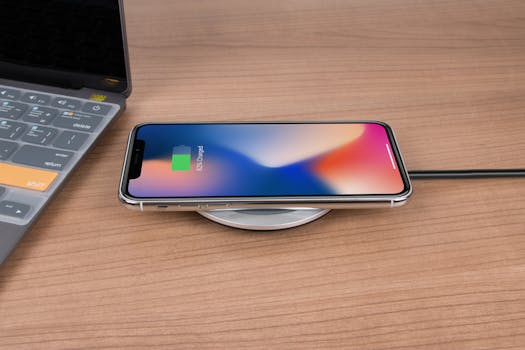
Why iPhone Gets Hot During Charging Overnight
Many iPhone users have experienced their devices heating up during the charging process, especially when left plugged in overnight. This phenomenon can lead to concerns about battery health, device performance, and safety. In this detailed blog post, we will explore the reasons why your iPhone gets hot during charging overnight, the implications of this heat, and what you can do to mitigate the issue.
Understanding the Charging Process
To grasp why your iPhone heats up while charging, we need to first understand how the charging process works. When you connect your iPhone to a power source, the battery management system kicks in. This system regulates the flow of electricity to the battery, converting AC power from the outlet into DC power that your iPhone can use.
During this process, the battery undergoes chemical reactions that release energy. These reactions generate heat. In normal circumstances, this heat dissipates without causing any issues. However, several factors can exacerbate the heating process.
Common Reasons for Overheating While Charging
- High Ambient Temperature: Charging your iPhone in a warm environment can significantly increase the device’s temperature. Ideally, your iPhone should be charged in an area with temperatures between 0º and 35º C (32º to 95º F).
- Using a Non-Apple Charger: Third-party chargers or cables that are not certified by Apple can lead to inefficient charging, causing excess heat generation. Always use MFi (Made for iPhone) certified accessories.
- Background Activity: If your iPhone is performing intensive tasks in the background, such as app updates, backups, or location services, this can create additional heat. Make sure to disable unused apps while charging.
- Case Insulation: Some cases can trap heat, preventing your iPhone from cooling down. If you notice that your iPhone gets hot during charging, consider removing the case.
- Battery Health: An aging or damaged battery can cause overheating issues. Apple recommends checking your battery health via Settings > Battery > Battery Health. A battery that needs replacing can produce excess heat during charging.
The Role of Fast Charging
With the introduction of fast charging capabilities in recent iPhone models, the speed at which your device charges can also contribute to increased heat. Fast charging allows your iPhone to charge up to 50% in about 30 minutes using a compatible charger. However, the rapid influx of energy can generate more heat than standard charging methods.
While fast charging is convenient, you may want to consider using a standard charger overnight to allow for a more gradual charging process, which typically results in less heat generation.
Implications of Overheating
While your iPhone is designed to handle some heat, excessive temperatures can have several negative implications:
- Battery Degradation: High temperatures can accelerate battery aging, leading to reduced capacity and shorter battery life over time.
- Performance Throttling: iPhones are equipped with thermal management systems that throttle performance to prevent damage from overheating. This can result in slower app performance and lag.
- Potential Safety Risks: Although rare, overheating can pose safety risks, including battery swelling or, in extreme cases, combustion.
Best Practices for Charging Your iPhone Overnight
To minimize the chances of your iPhone overheating during overnight charging, consider the following best practices:
- Charge in a Cool Environment: Ensure the room temperature is within the recommended range for optimal charging.
- Remove the Case: If you notice your iPhone gets hot, take off any protective case while charging.
- Use Genuine Accessories: Stick to Apple-certified chargers and cables to avoid inefficient charging and overheating.
- Check Background Activity: Disable unnecessary background processes before charging. You can do this by going to Settings > General > Background App Refresh.
- Enable Optimized Battery Charging: This feature, found under Settings > Battery > Battery Health, learns your charging habits to reduce battery aging by waiting to finish charging past 80% until you need to use your iPhone.
What to Do if Your iPhone Overheats
If you find that your iPhone frequently overheats while charging, here are steps you can take:
- Stop Charging: If your iPhone becomes too hot, unplug it immediately to prevent damage.
- Let It Cool Down: Allow your iPhone to cool down before using it again or plugging it back in.
- Contact Apple Support: If overheating persists, it may be time to consult Apple Support or visit an Apple Store for a battery check-up.
Apple’s Official Guidelines
Apple provides extensive guidelines on battery care and device usage in their official documentation. For more detailed information, you can refer to the Apple Support page on iPhone Battery and Performance and the Battery Service and Recycling page. These resources outline best practices for maintaining battery health and ensuring your iPhone operates efficiently.
Frequently Asked Questions (FAQ)
1. Is it normal for my iPhone to get warm while charging?
Yes, it is normal for your iPhone to get warm during charging. However, if it becomes excessively hot, it could indicate an issue.
2. Can I use my iPhone while it’s charging overnight?
While it’s generally safe to use your iPhone while charging, doing so can generate more heat. It’s best to limit usage during charging, especially overnight.
3. How can I check my iPhone’s battery health?
You can check your battery health by going to Settings > Battery > Battery Health on your iPhone. This section provides insights into your battery’s maximum capacity and performance capabilities.
4. What should I do if my iPhone continues to overheat?
If your iPhone continues to overheat despite following best practices, consider reaching out to Apple Support or visiting an authorized service provider for further assistance.
By understanding the reasons behind why your iPhone gets hot during charging overnight and implementing the suggested strategies, you can help maintain your device’s health and performance. Taking proactive steps can ensure you enjoy all the features of your iPhone without the worry of overheating issues.